
NASA SUITS 2020
The opportunity
In support of NASA’s Artemis mission—landing American astronauts safely on the Moon by 2024, we (CLAWS of SEDS@UM) were chosen and tasked to design and create spacesuit information displays within augmented reality (AR) environments.
Research
Information Gathering
Past interviews with 8 astronauts & planetary geologists and scientists
Interviews with 3 geologists & Dr. Leia Stirling
Analysis of VR game’s user interface
Findings
Astronauts on extravehicular activity (EVA) were to have “verbal diarrhea”
Note-taking needs to be fast, “(it) shouldn’t take longer to take note than to speak about it”
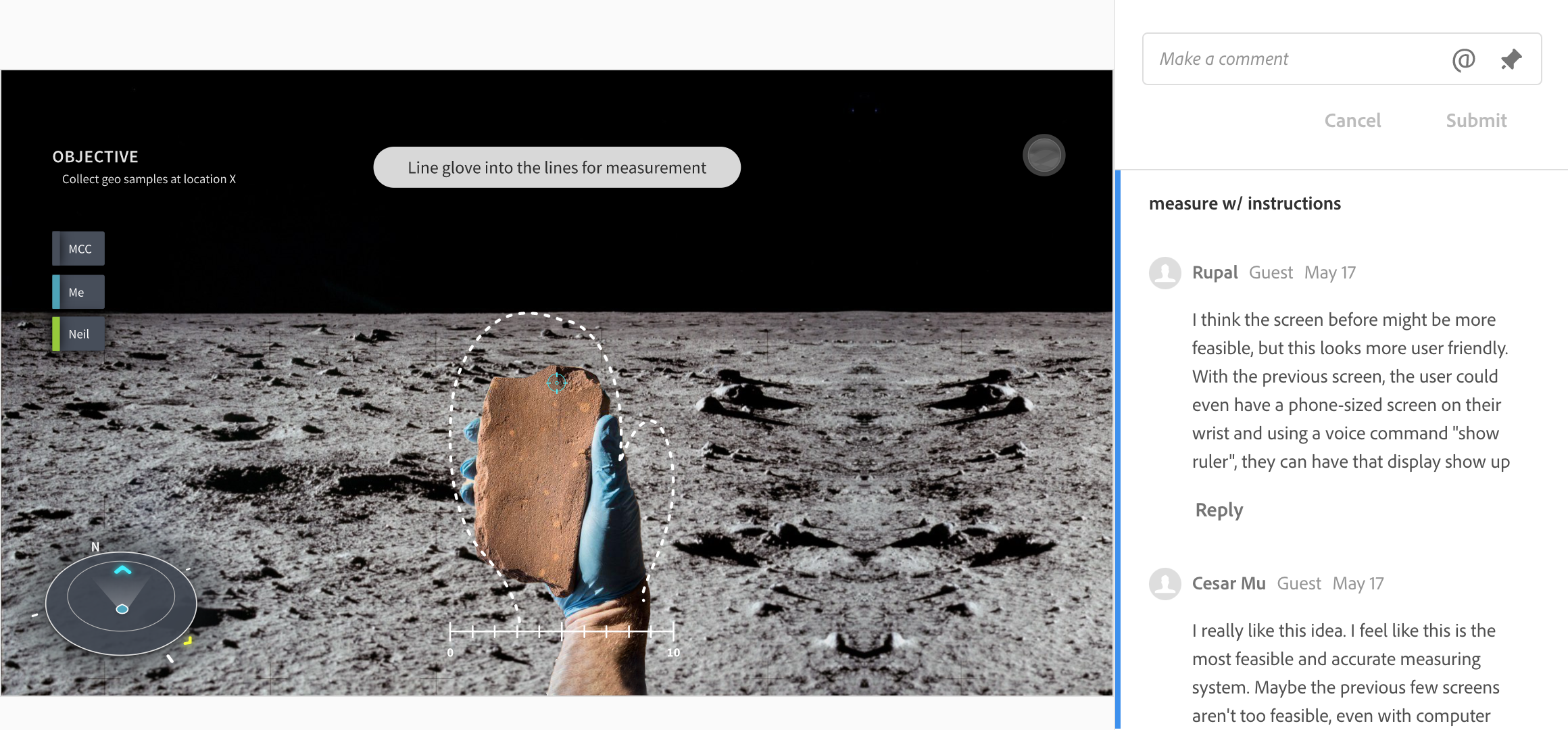
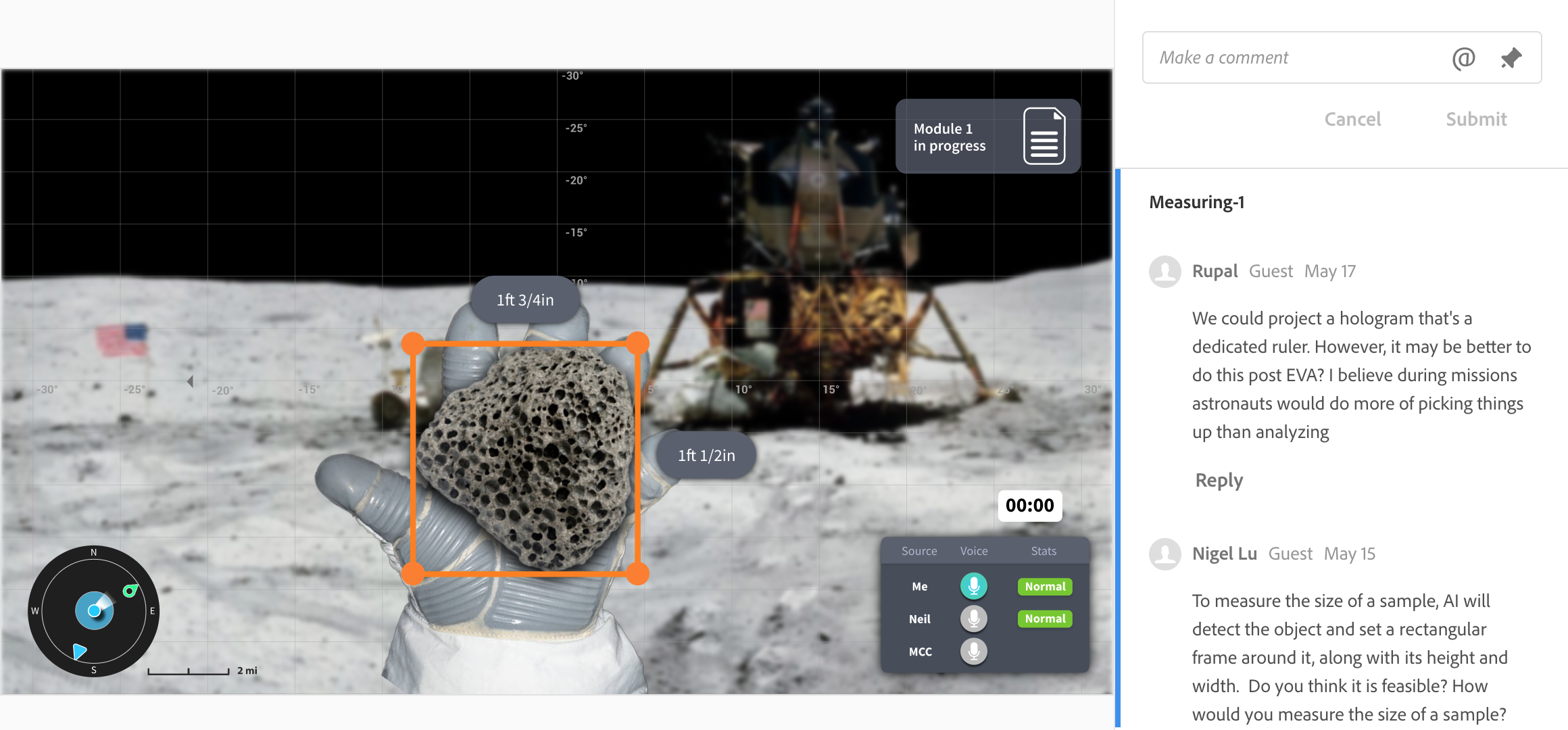
Graphical documentation of the sample and environment is important
Each sample bag is individually labeled, sometimes pre-labeled pre-trip
Task lists help set goals and provide guidance
Sampling site locations are predetermined
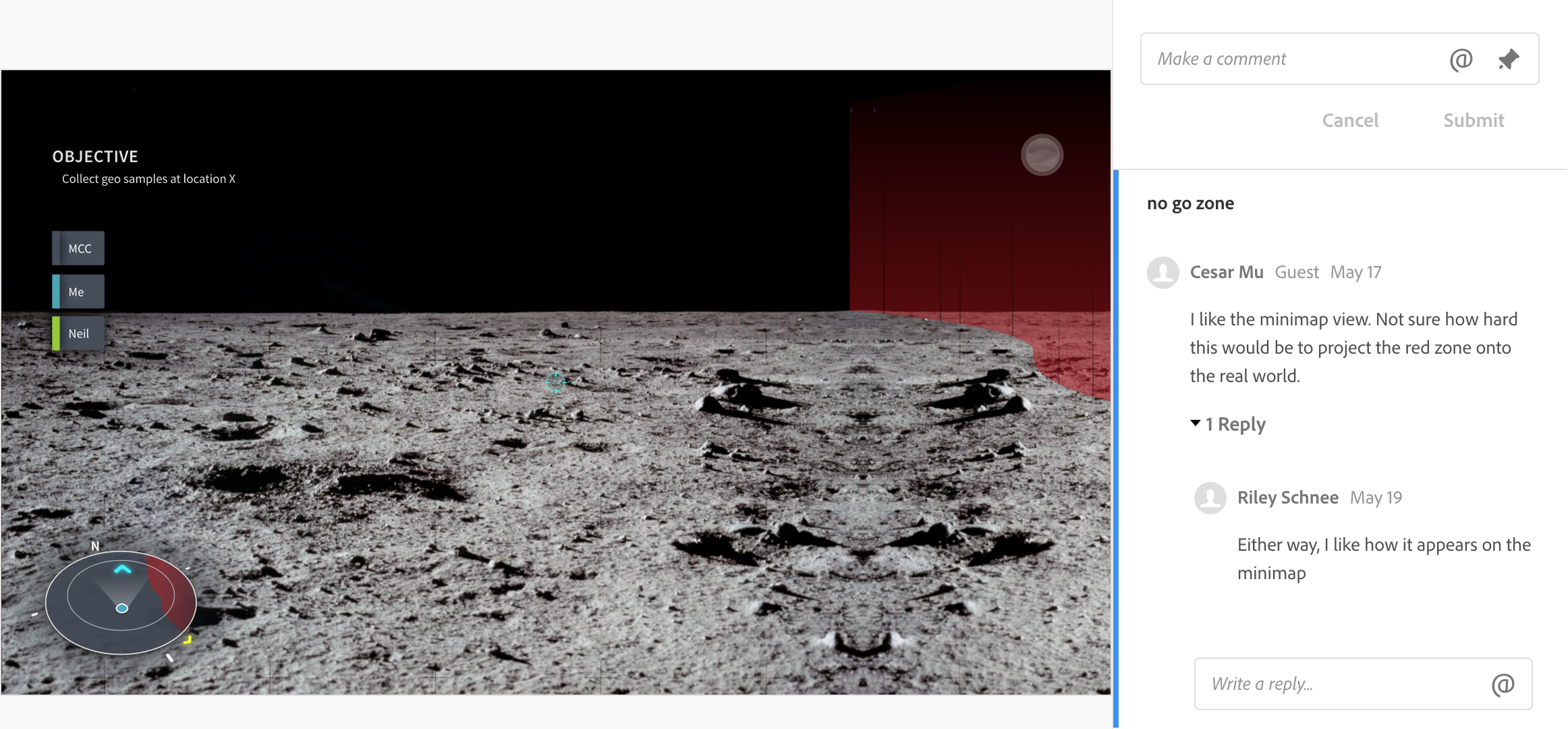
Danger (no-go) zones need to be marked out pre-trip
Communication between teammates is important
EVA’s can go as long as 8 hours under a high-pressure working environment
Working long hours in the suit could cause fatigue
EVA environments are usually high in color contrast
Analysis of notes, photos and samples happens indoors
Limitations
Proceeded project under many assumptions and blurry fields (tool & subject)
Hololens screen resolution is 1268×720px
Hololens can’t zoom in on a specific point
Limited motion movement angles in a spacesuit
The actual mission environment is unknown
Design Process
Initial Brainstorm
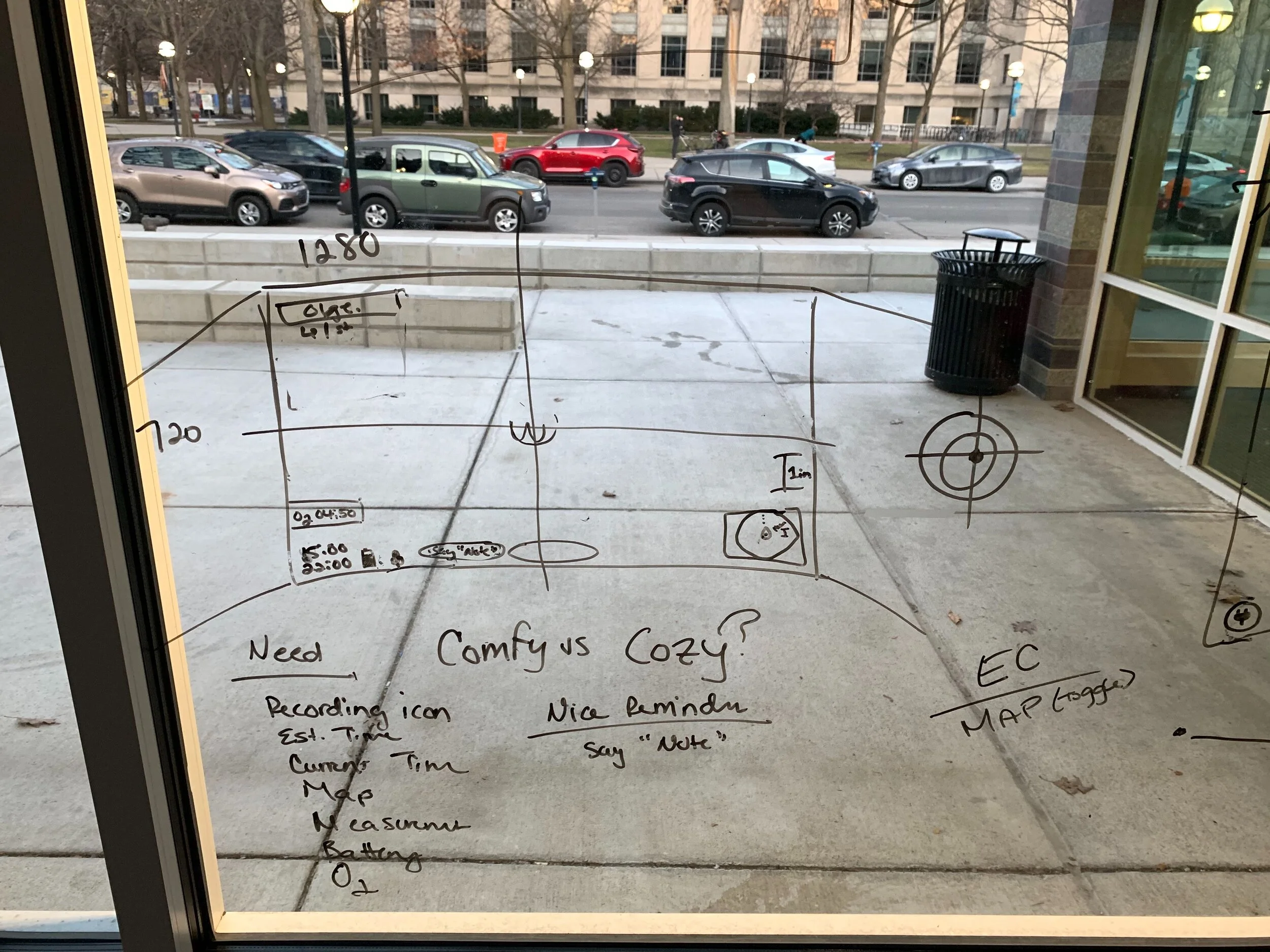
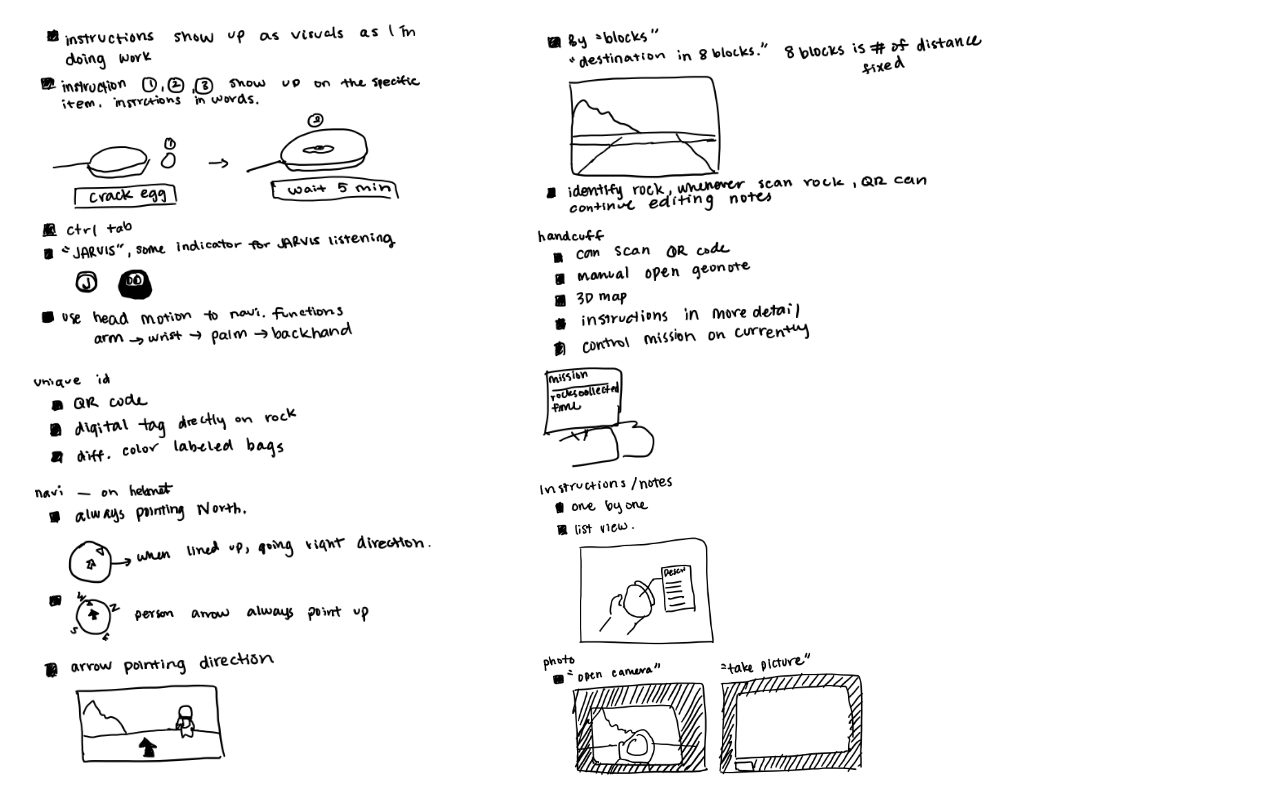
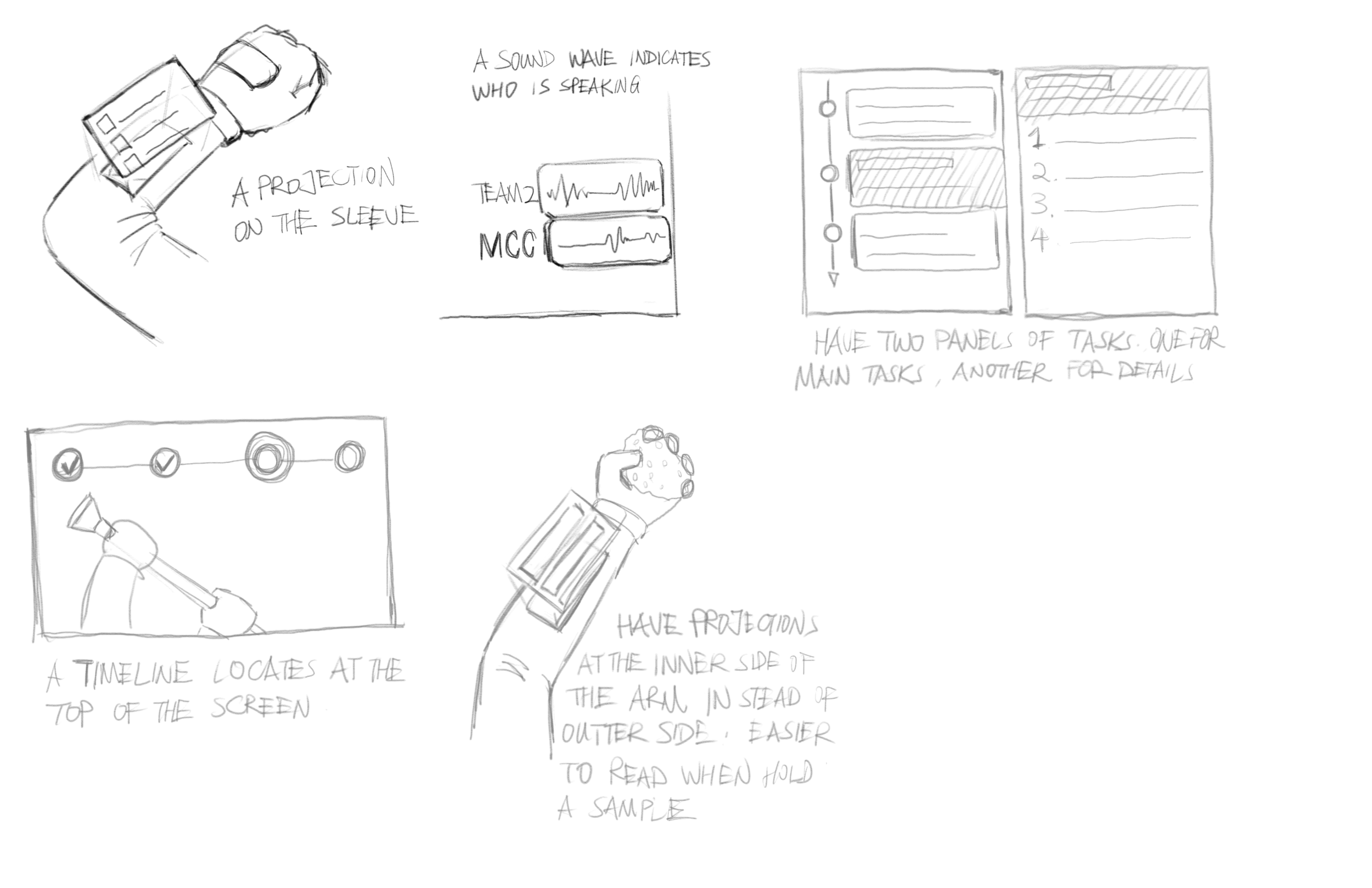
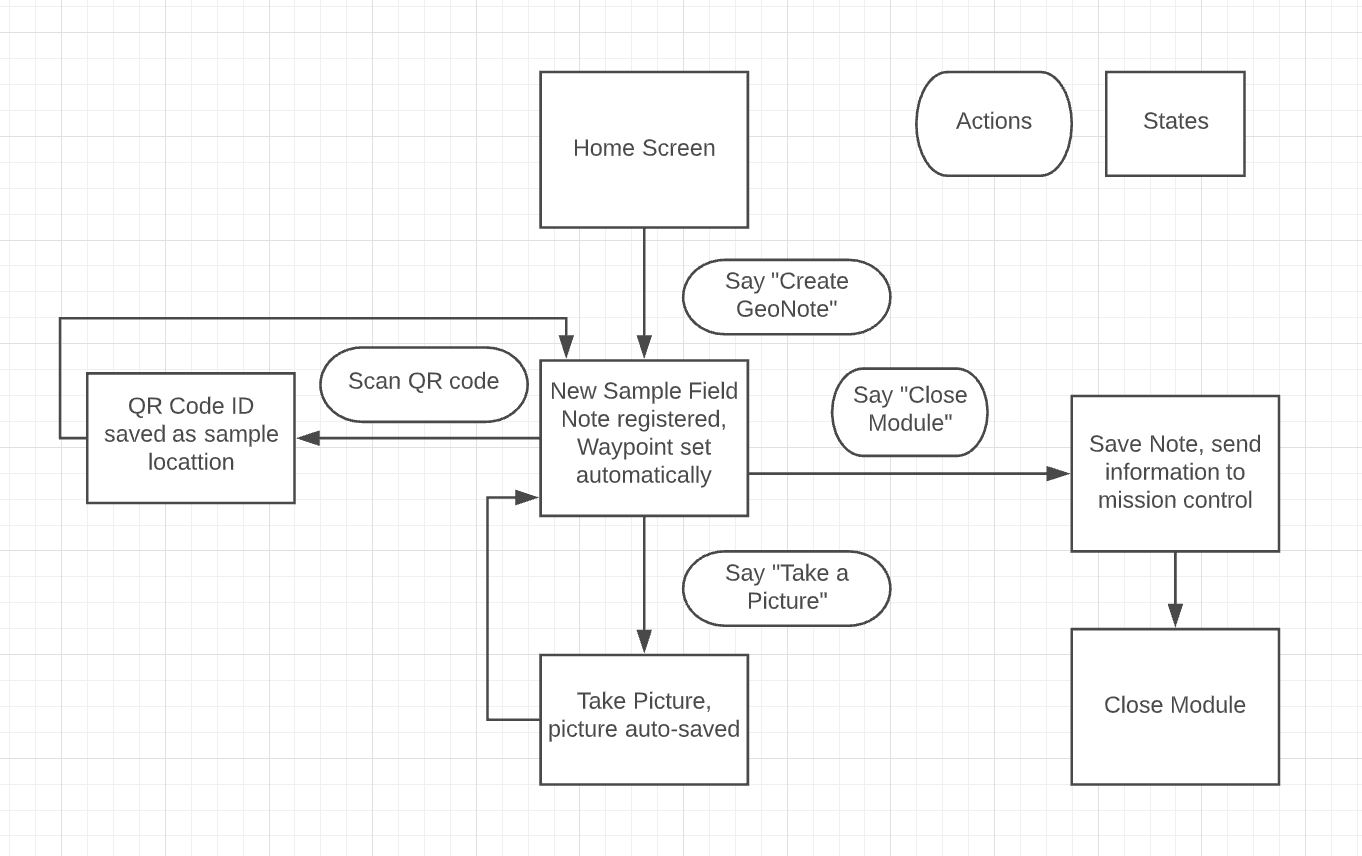
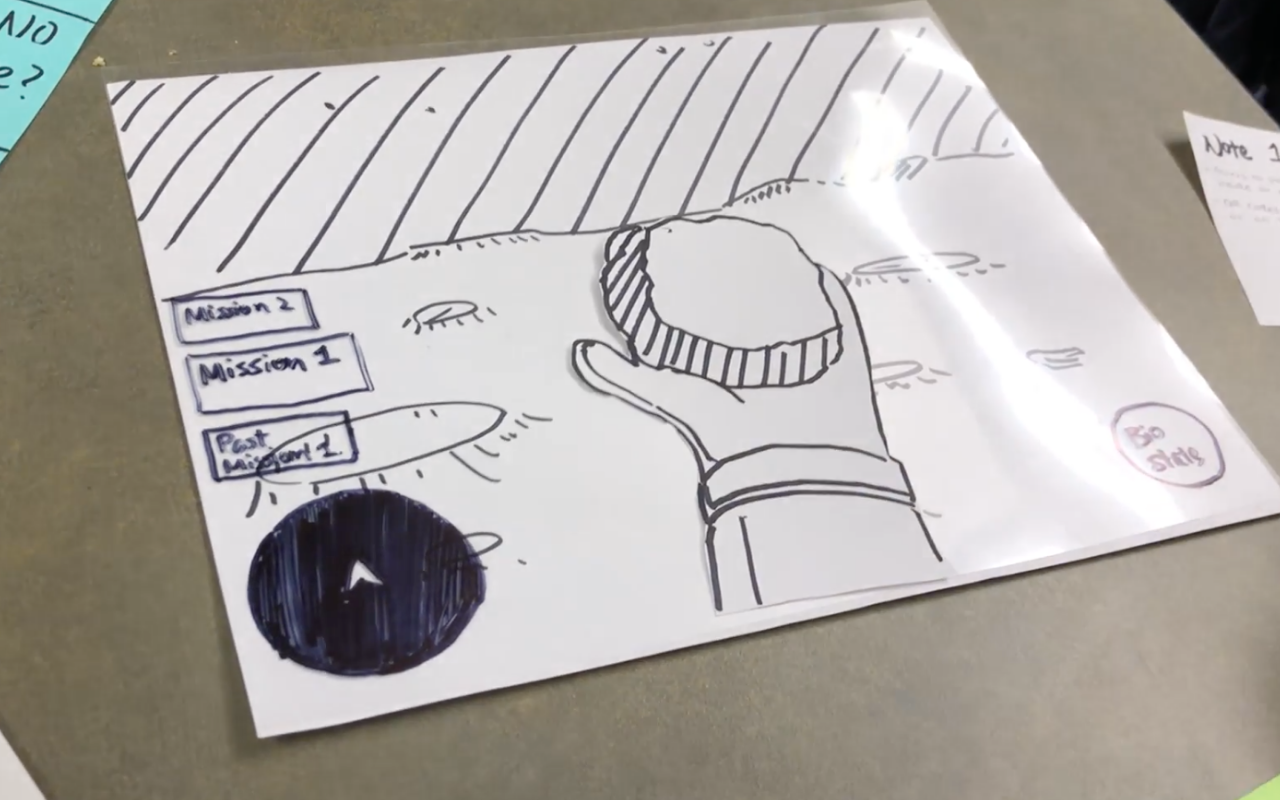
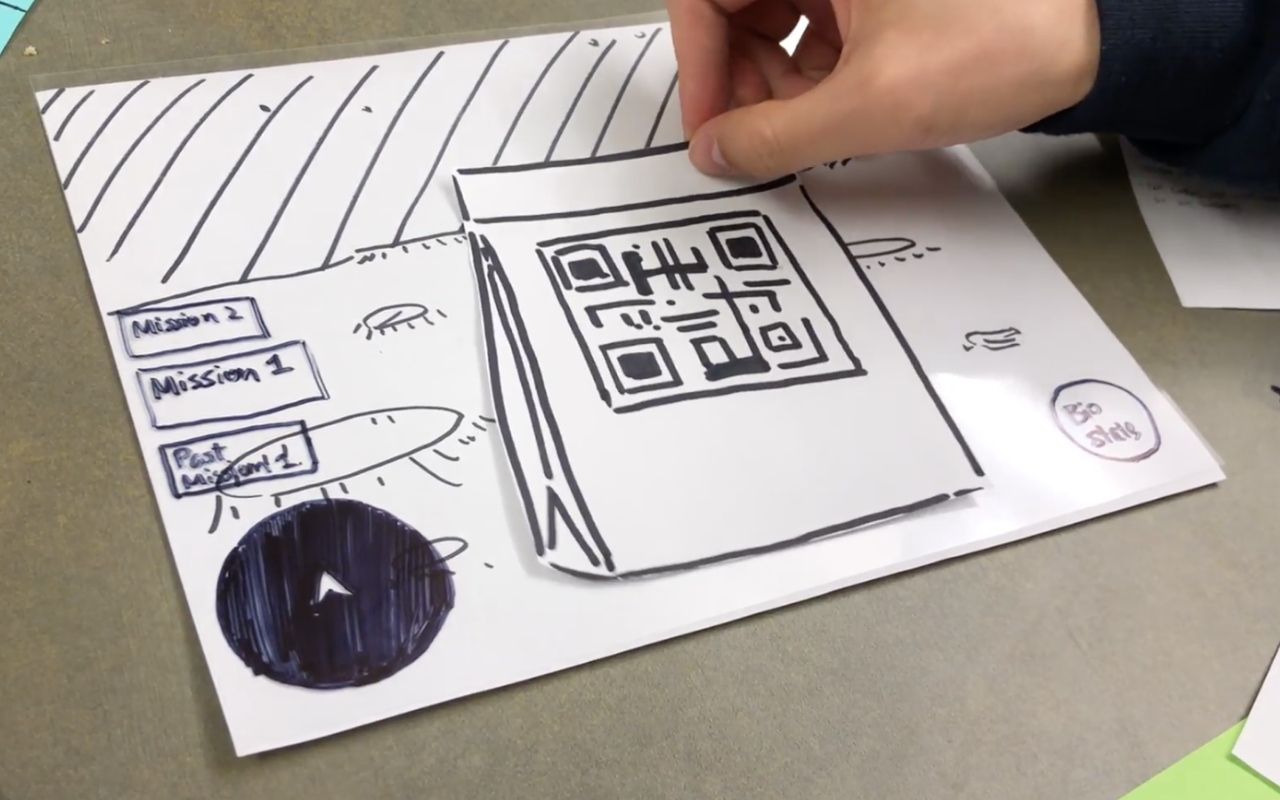
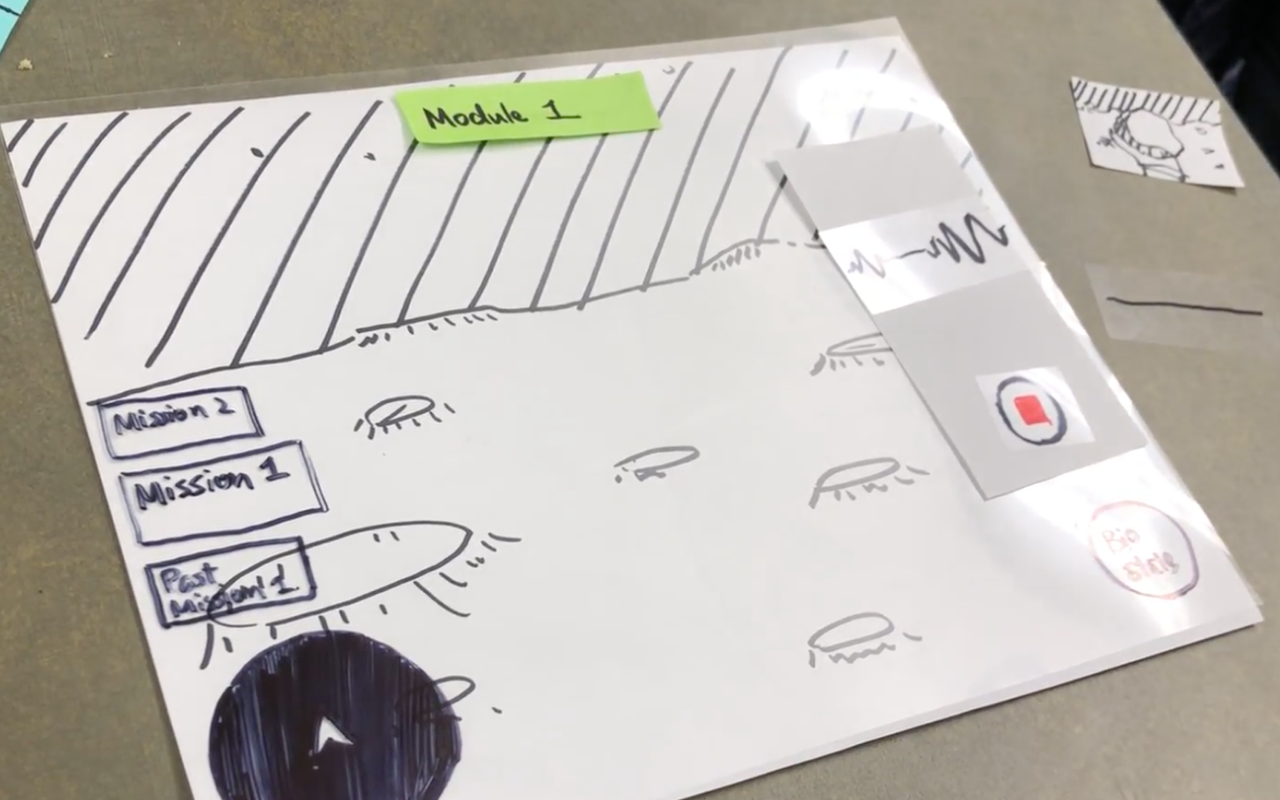
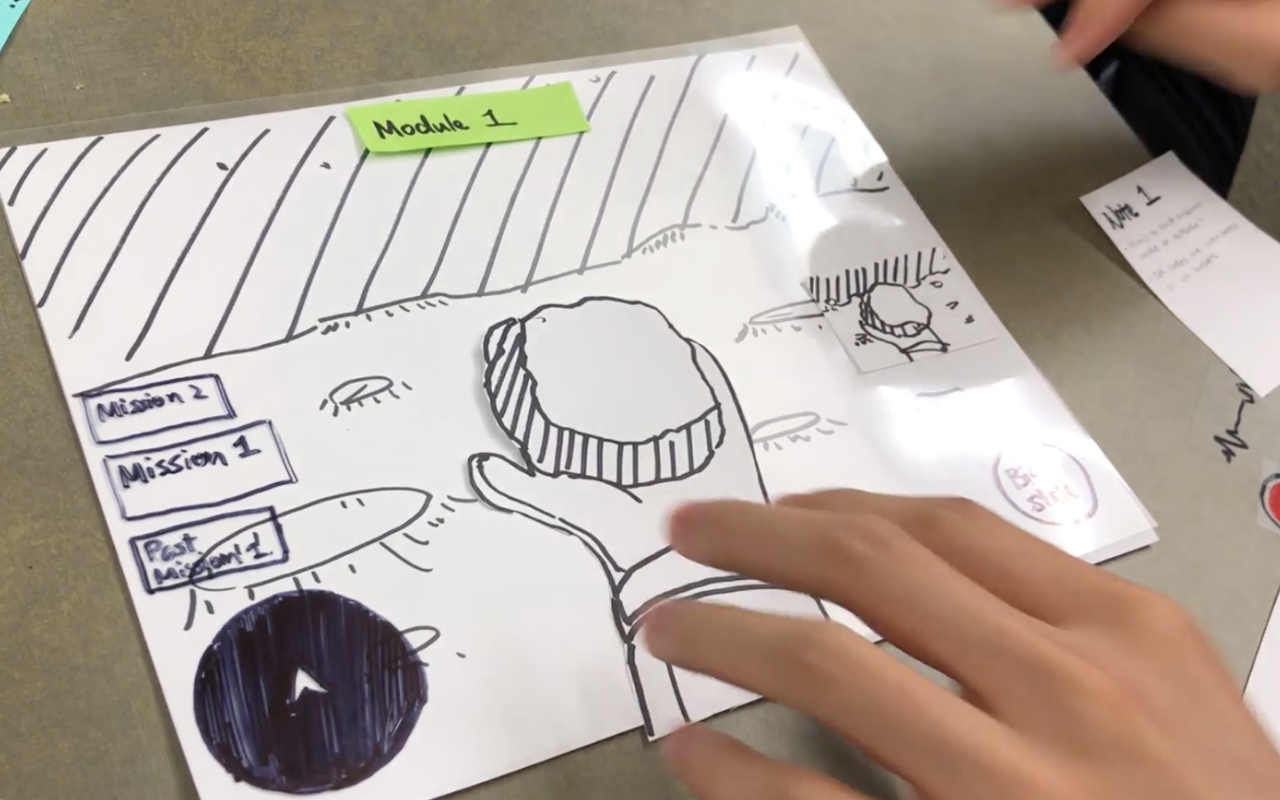
Paper Prototype
Understanding the process and raising questions with a rough interface design
Brainstorm (Specifics)
4 topics, 10 minutes each, show and tell
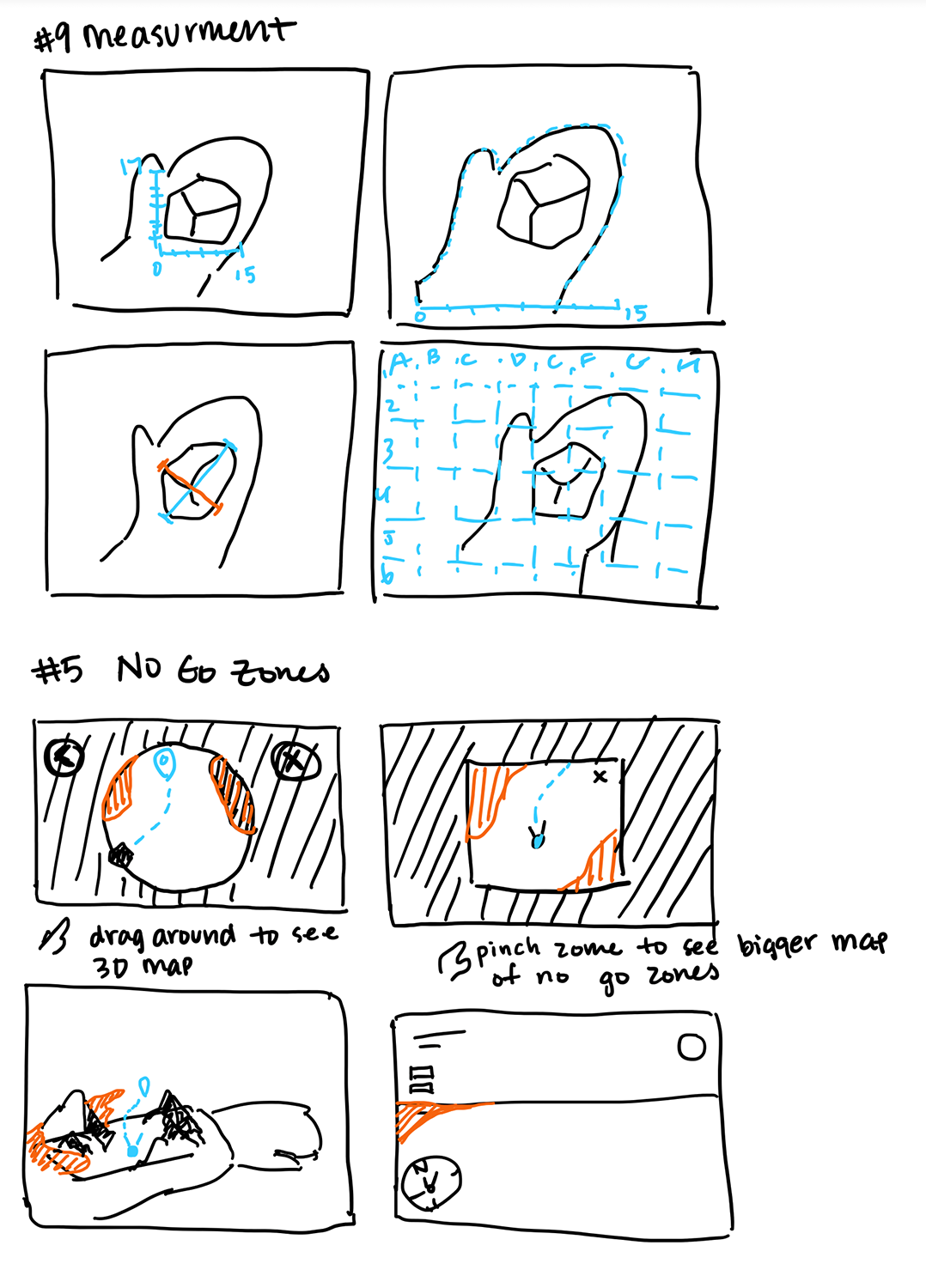
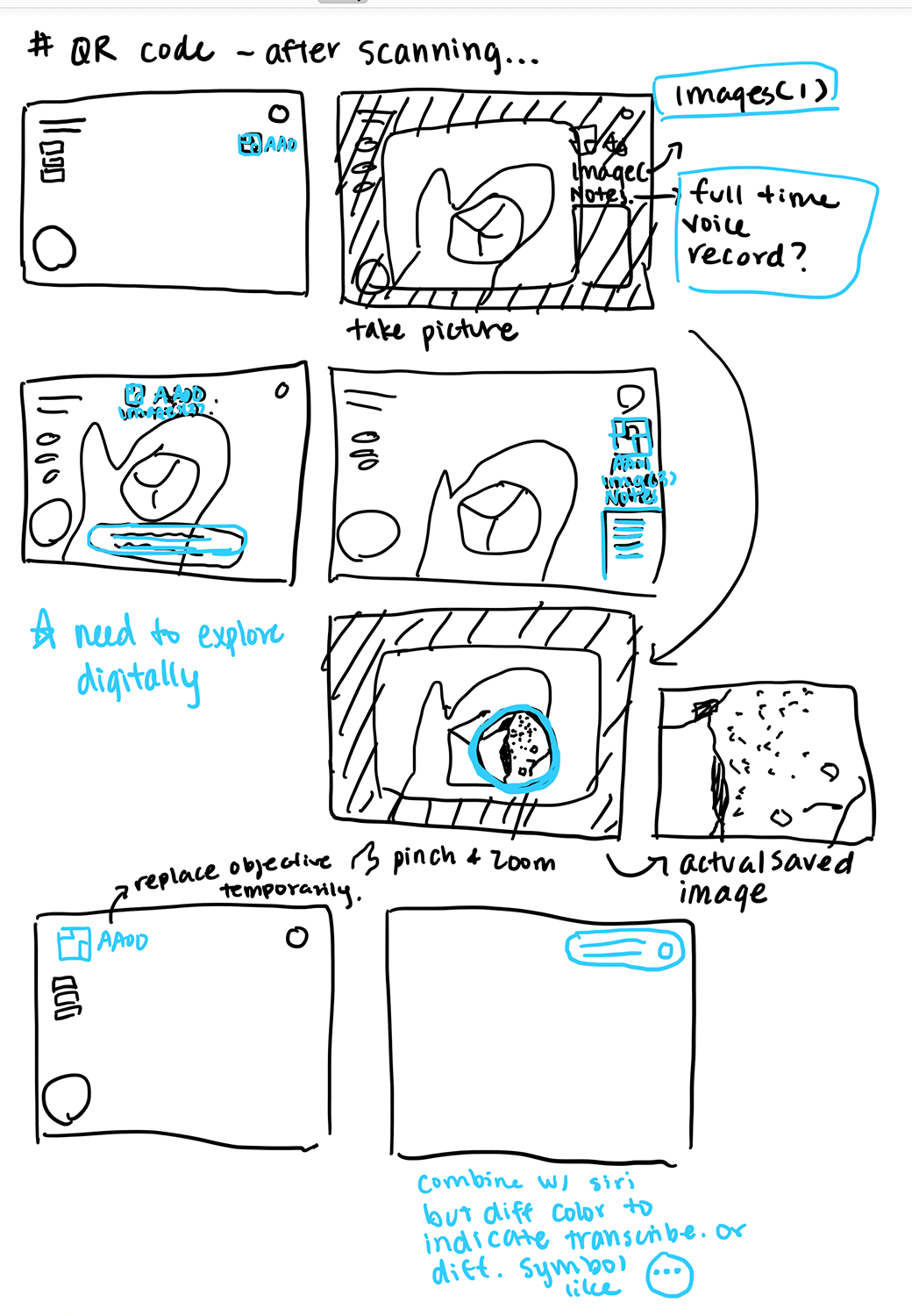
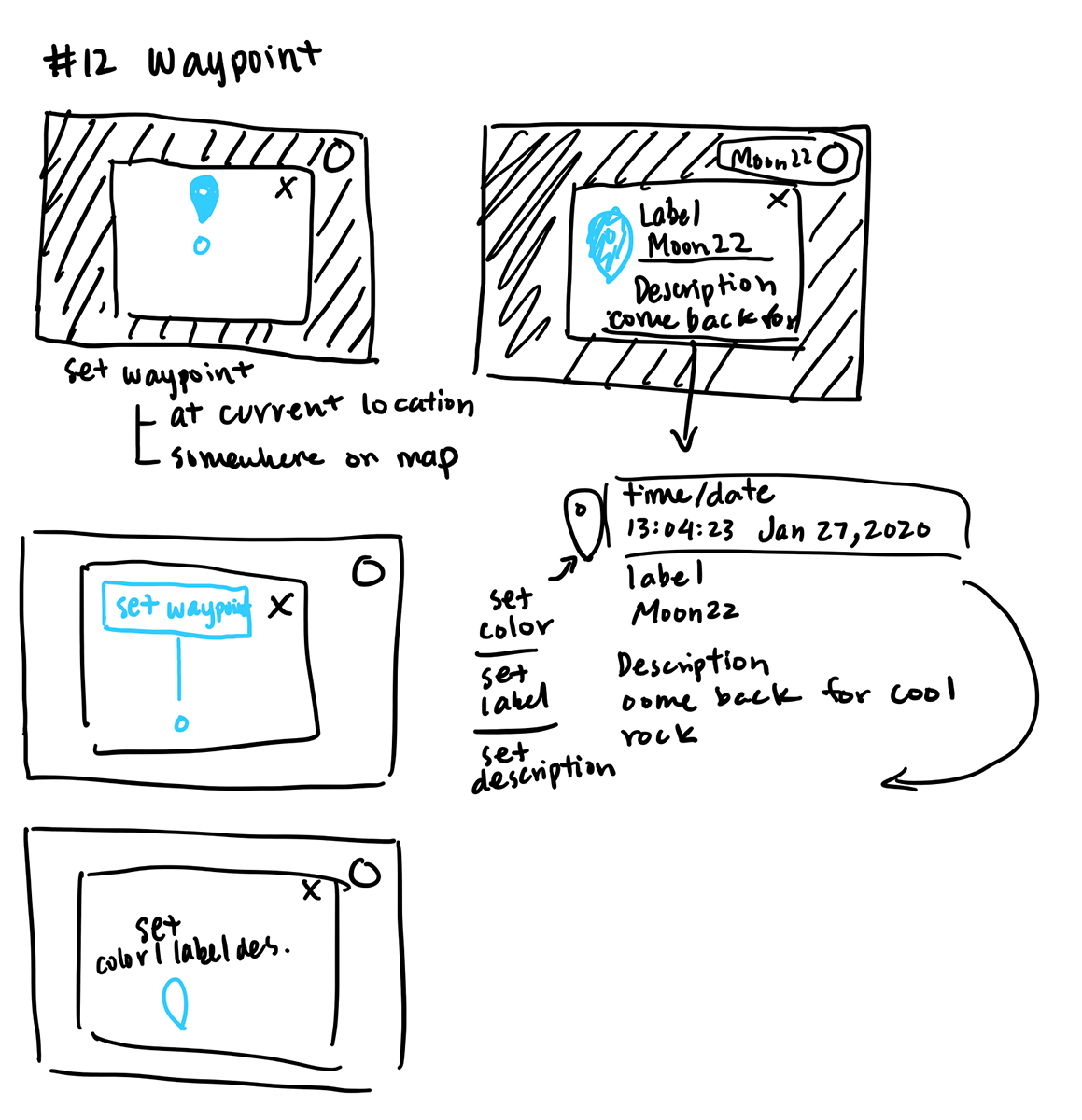
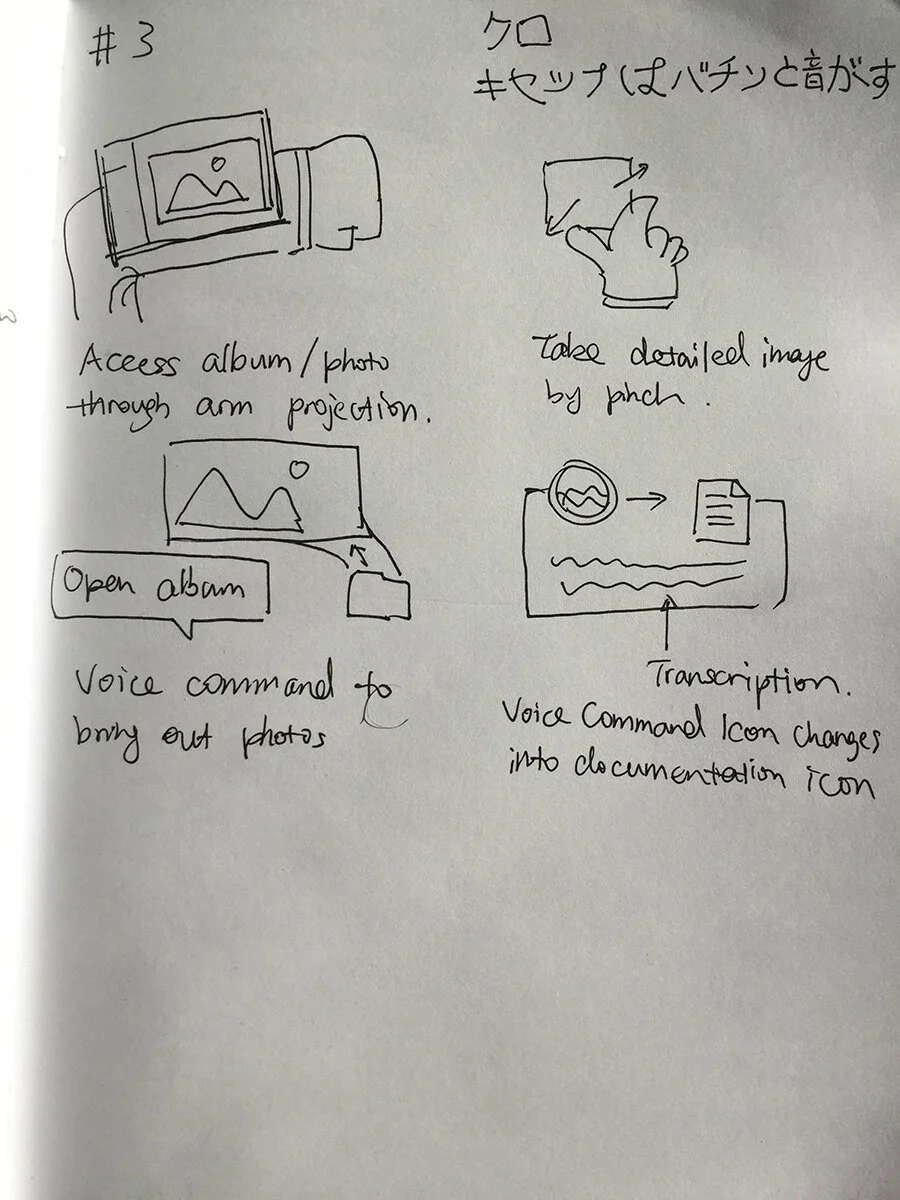
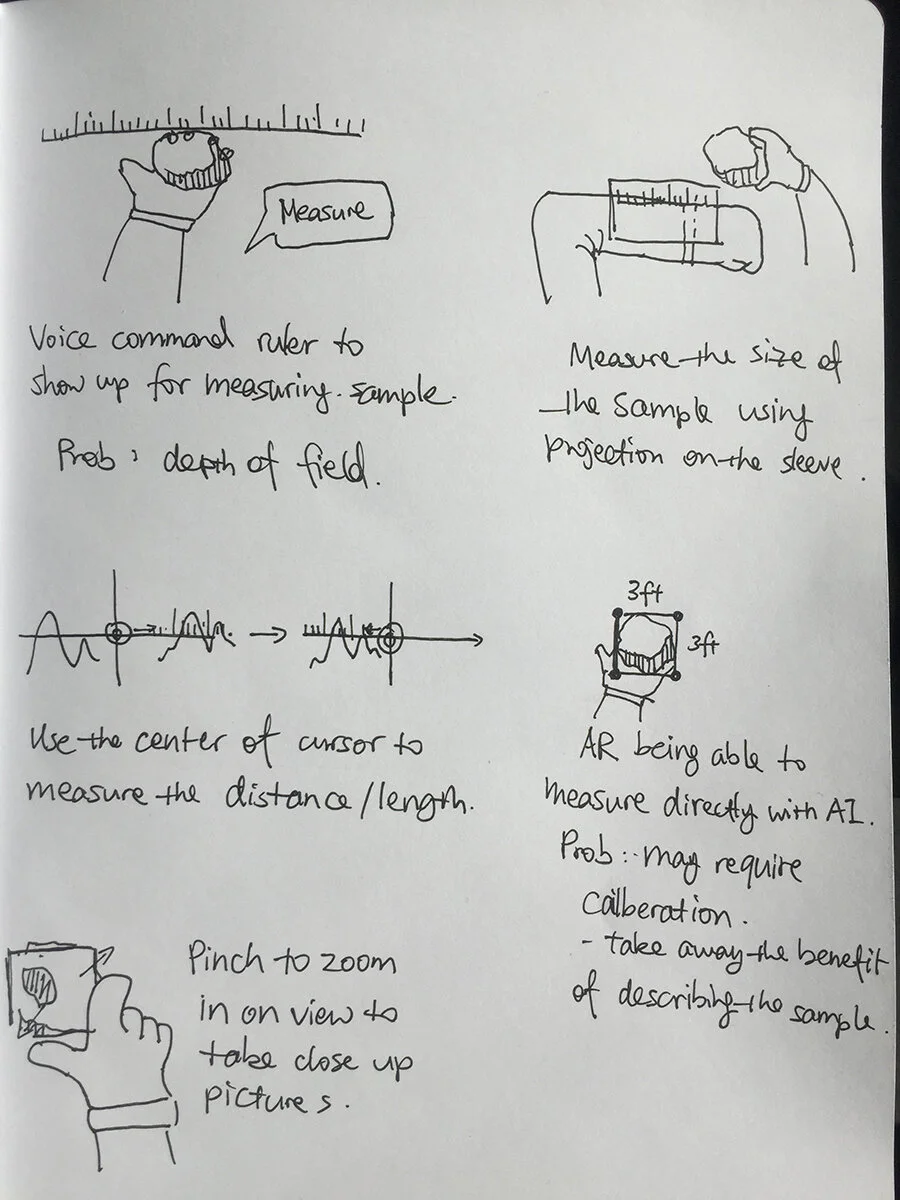
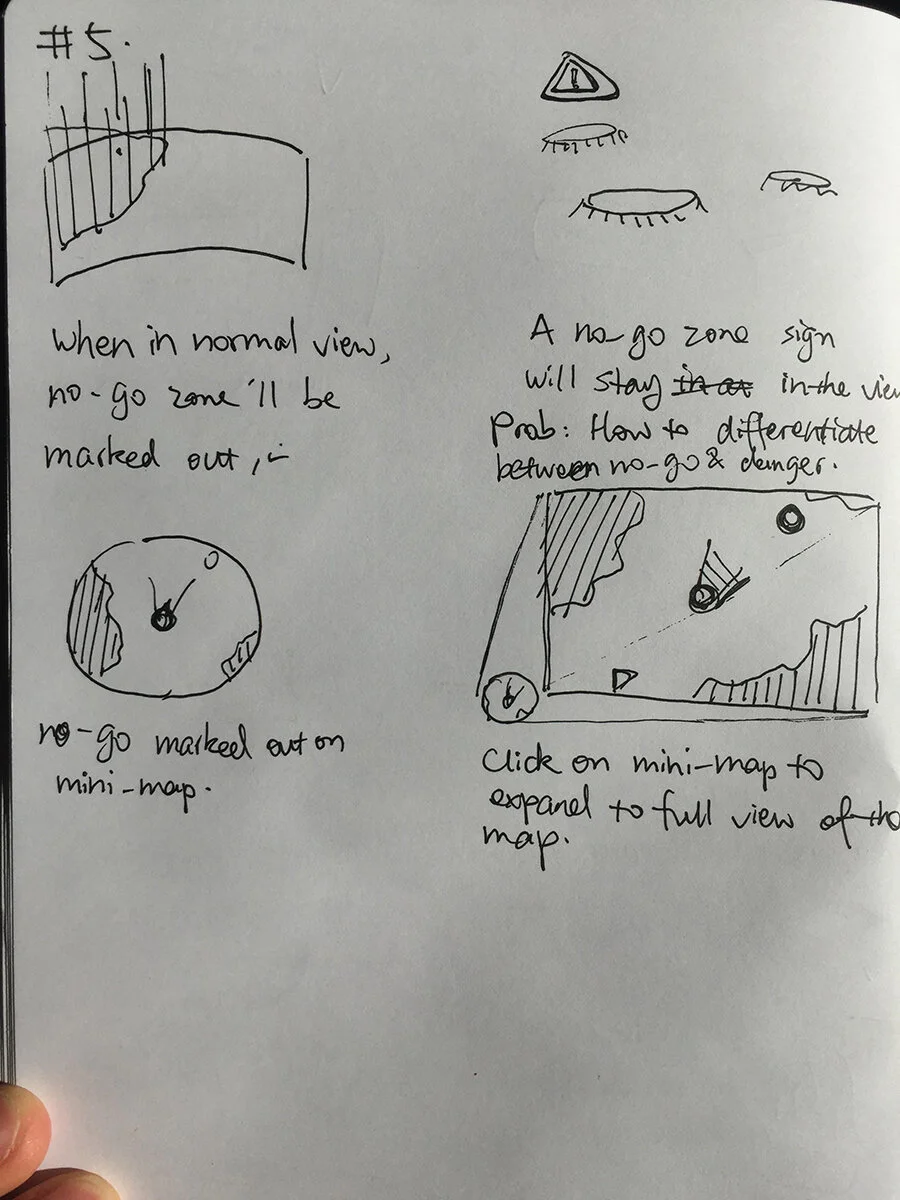
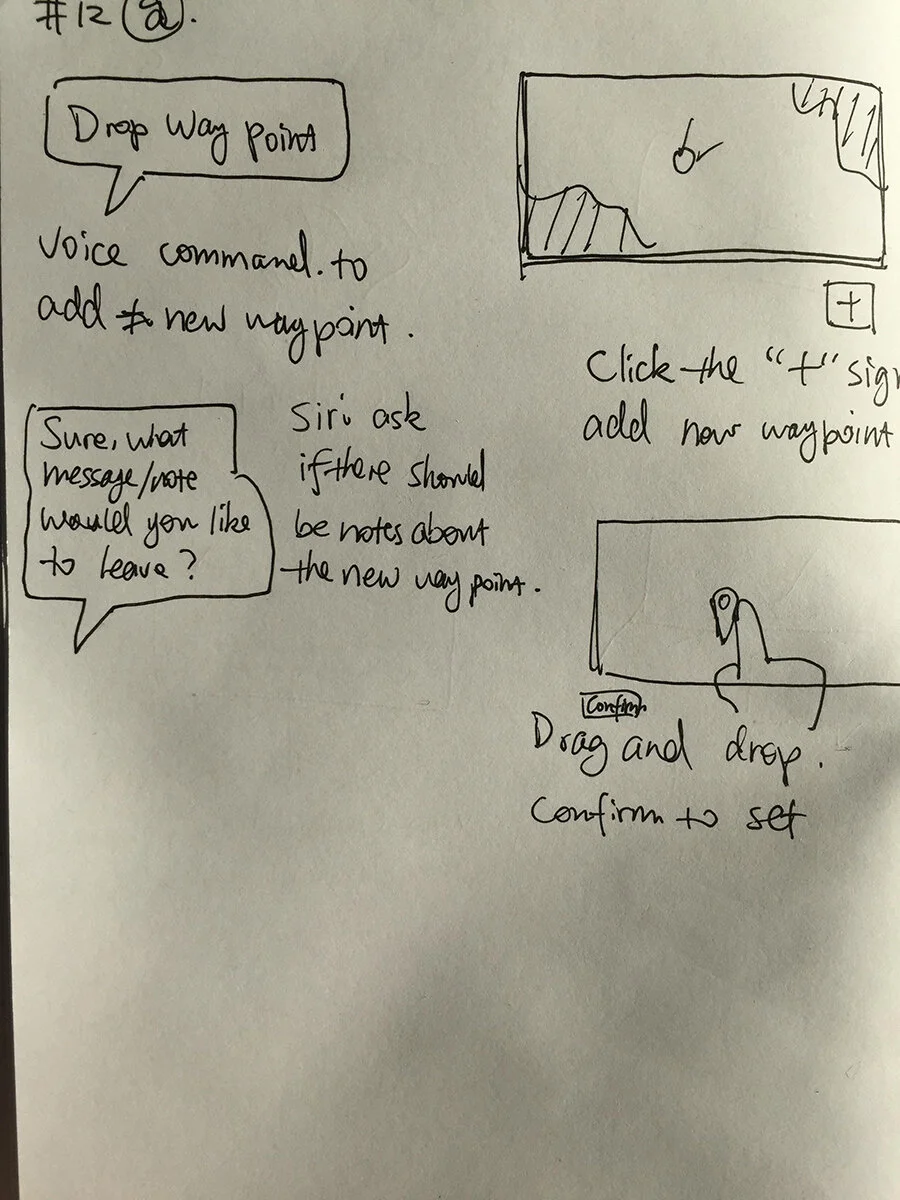
Initial Design & Feedback
All done through XD’s co-editing function between Nigel and I
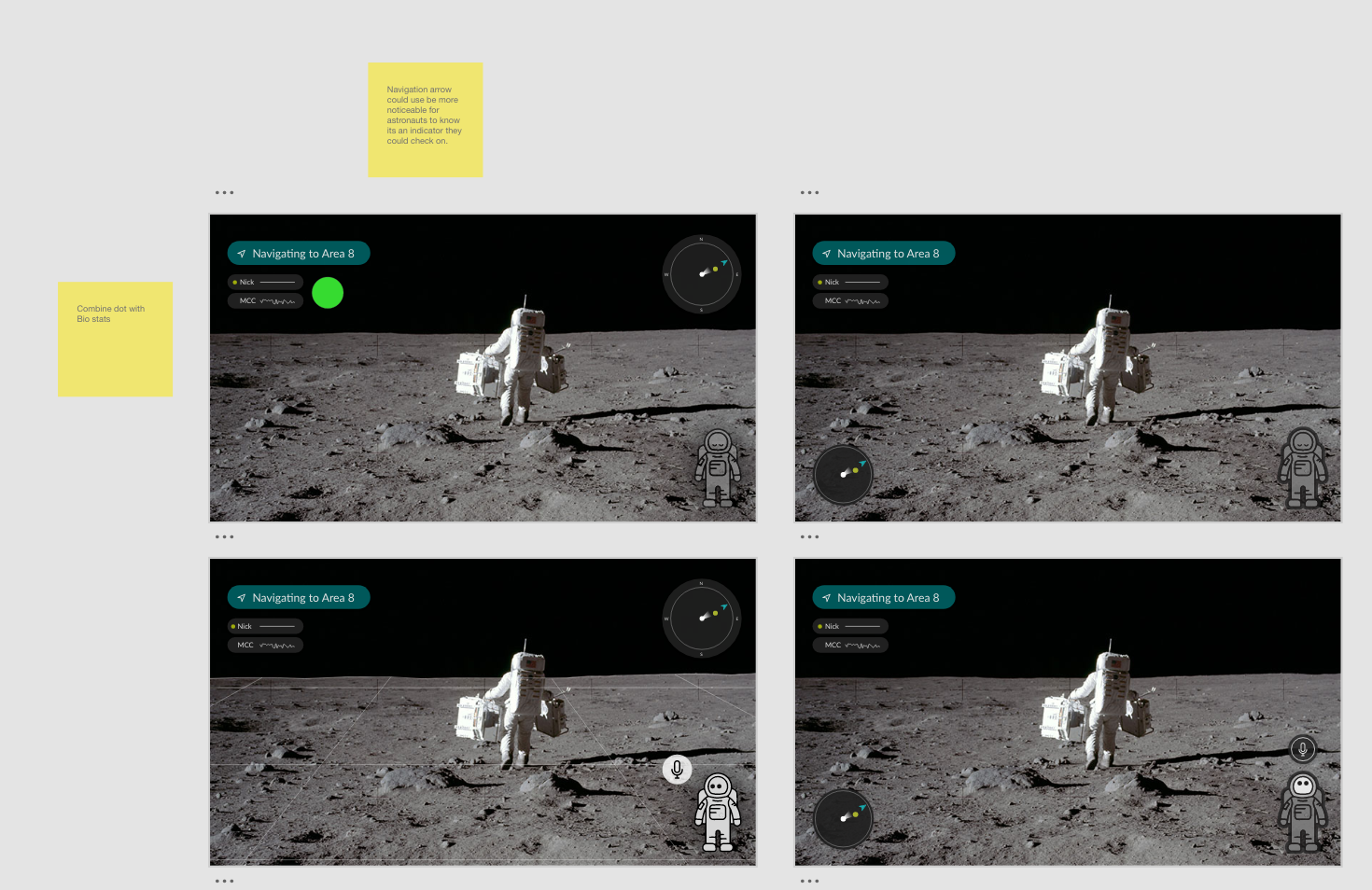
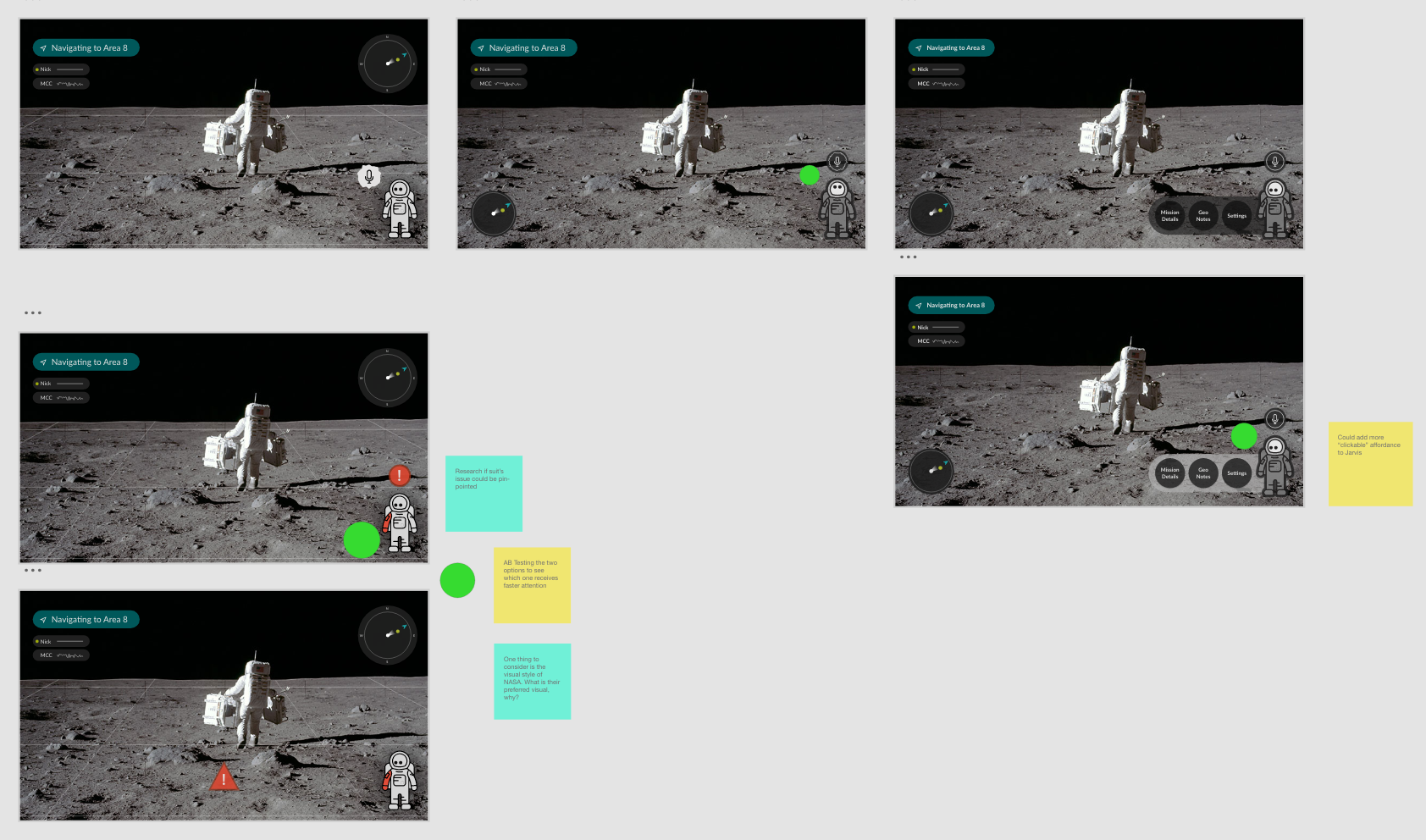
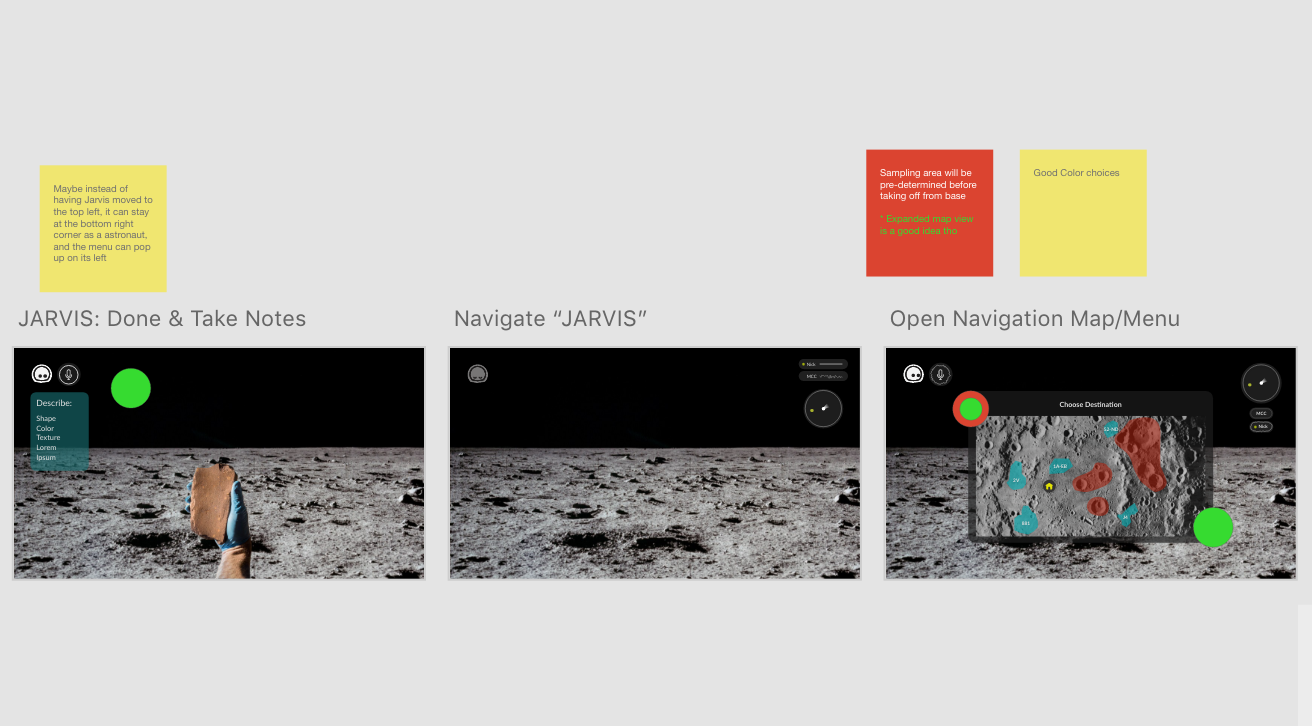
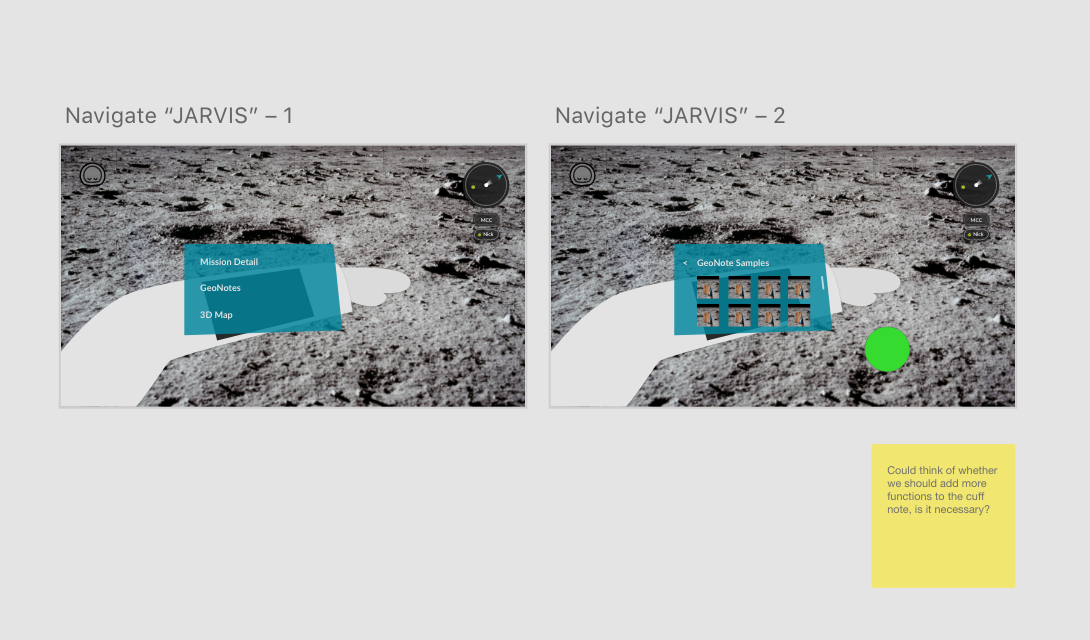
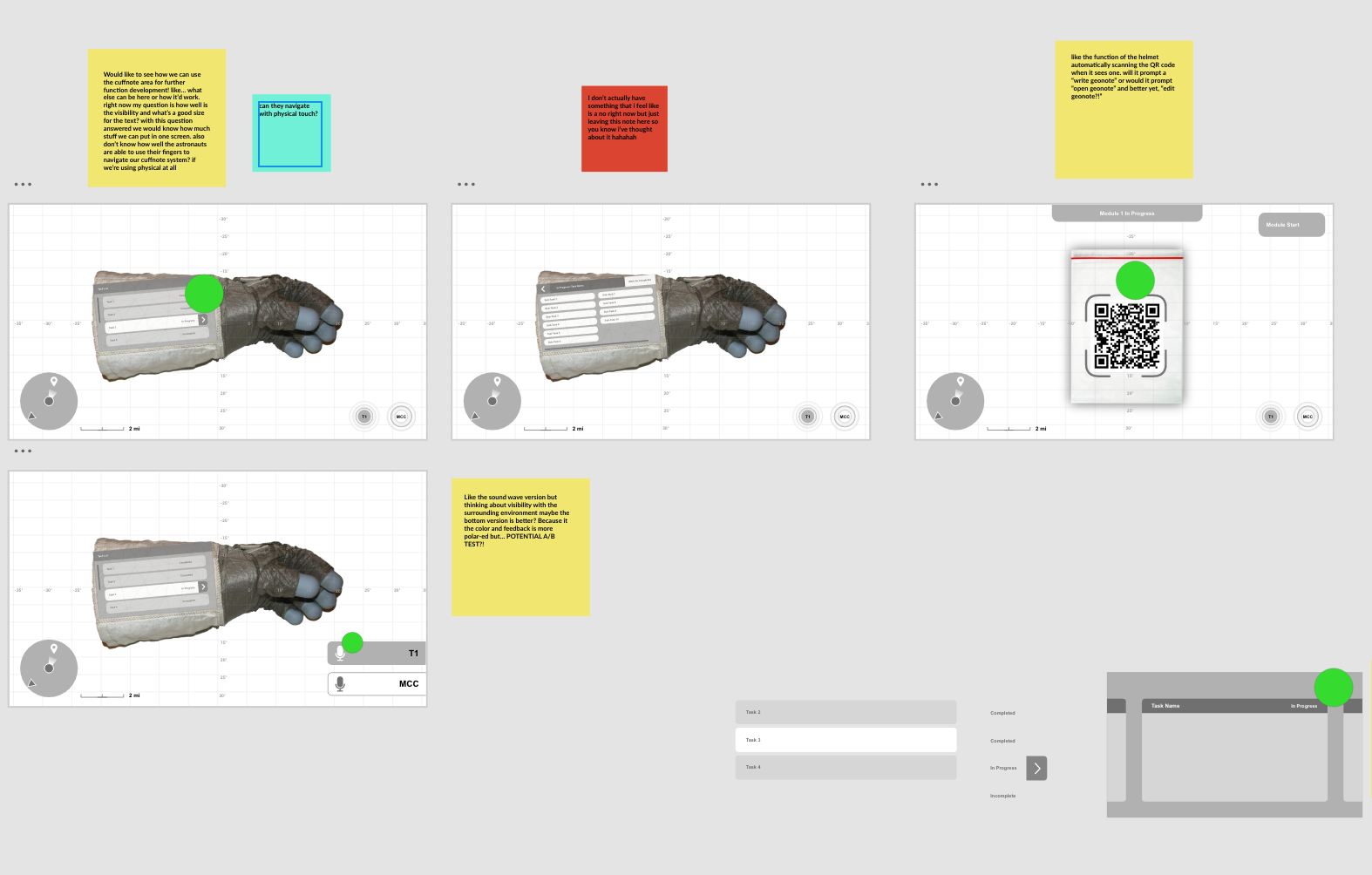
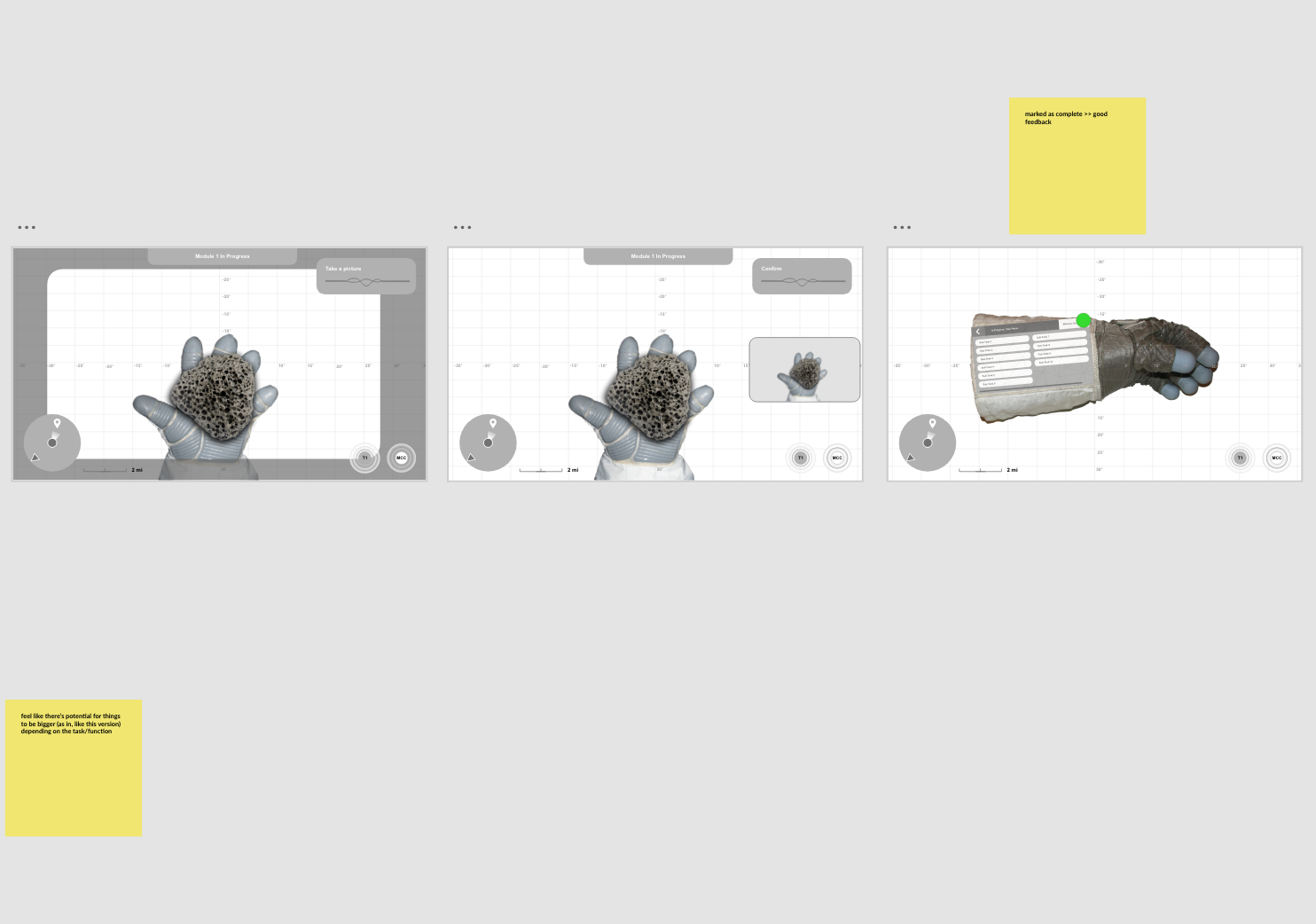
Design Iterations & User Testing
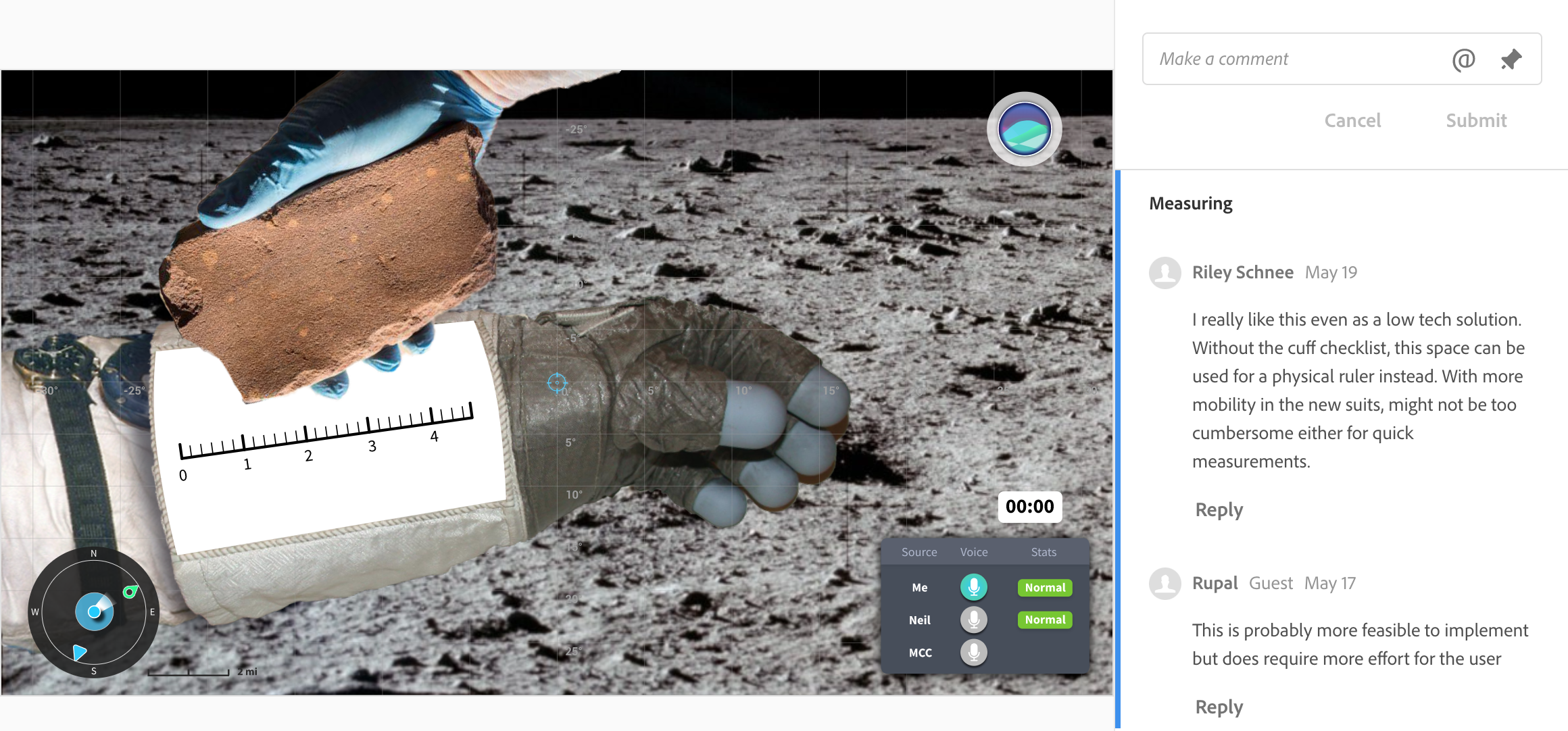
Many rounds of iterating all followed by user testing or feedback sessions with the rest of the SUITS team
Final Design & Rationale
Nick Hague (Astronaut) commented, “…yours is the first one I’ve seen where it scratches the itch on all the different things that I would want to see…”
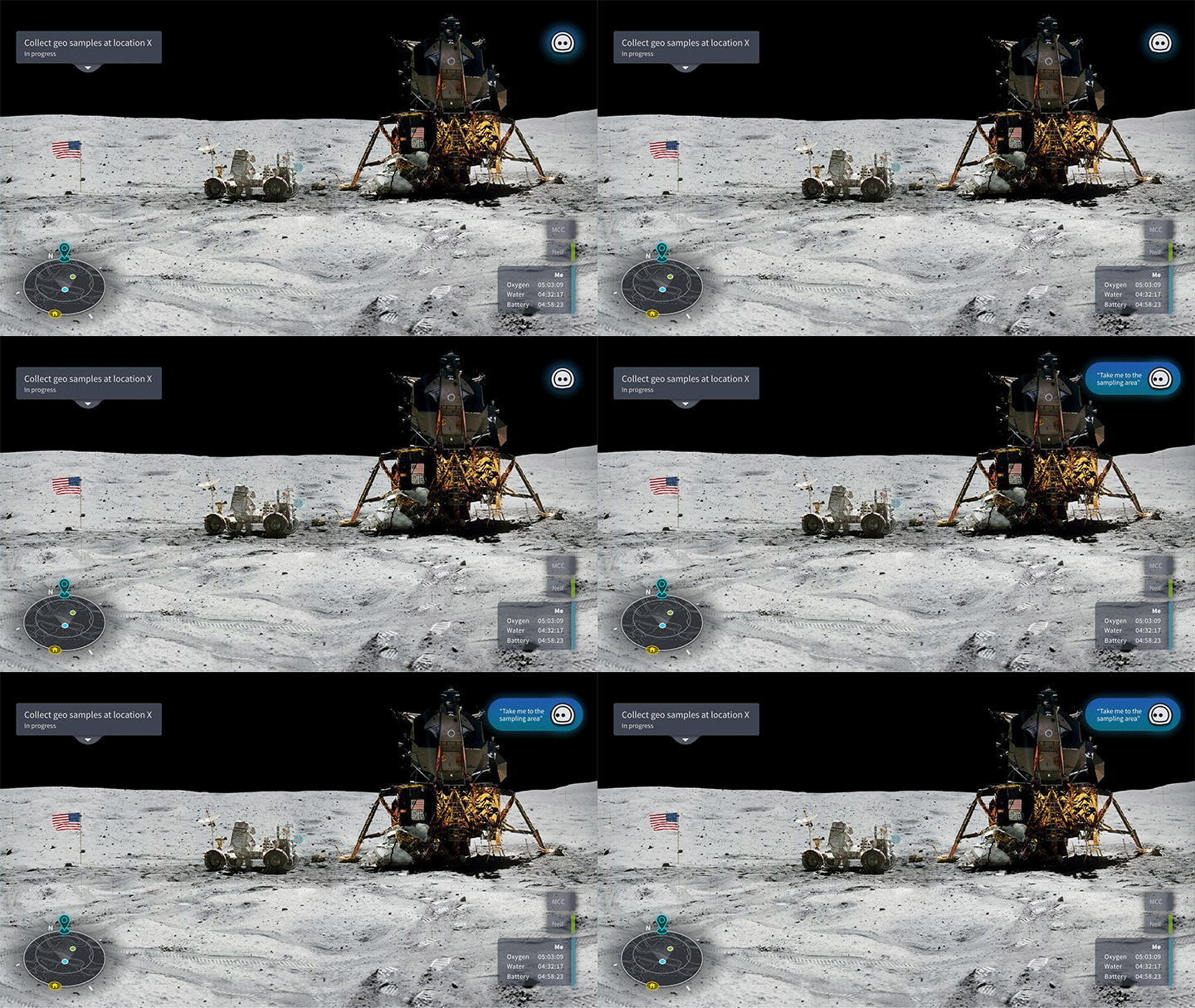
Voice Assistant VEGA
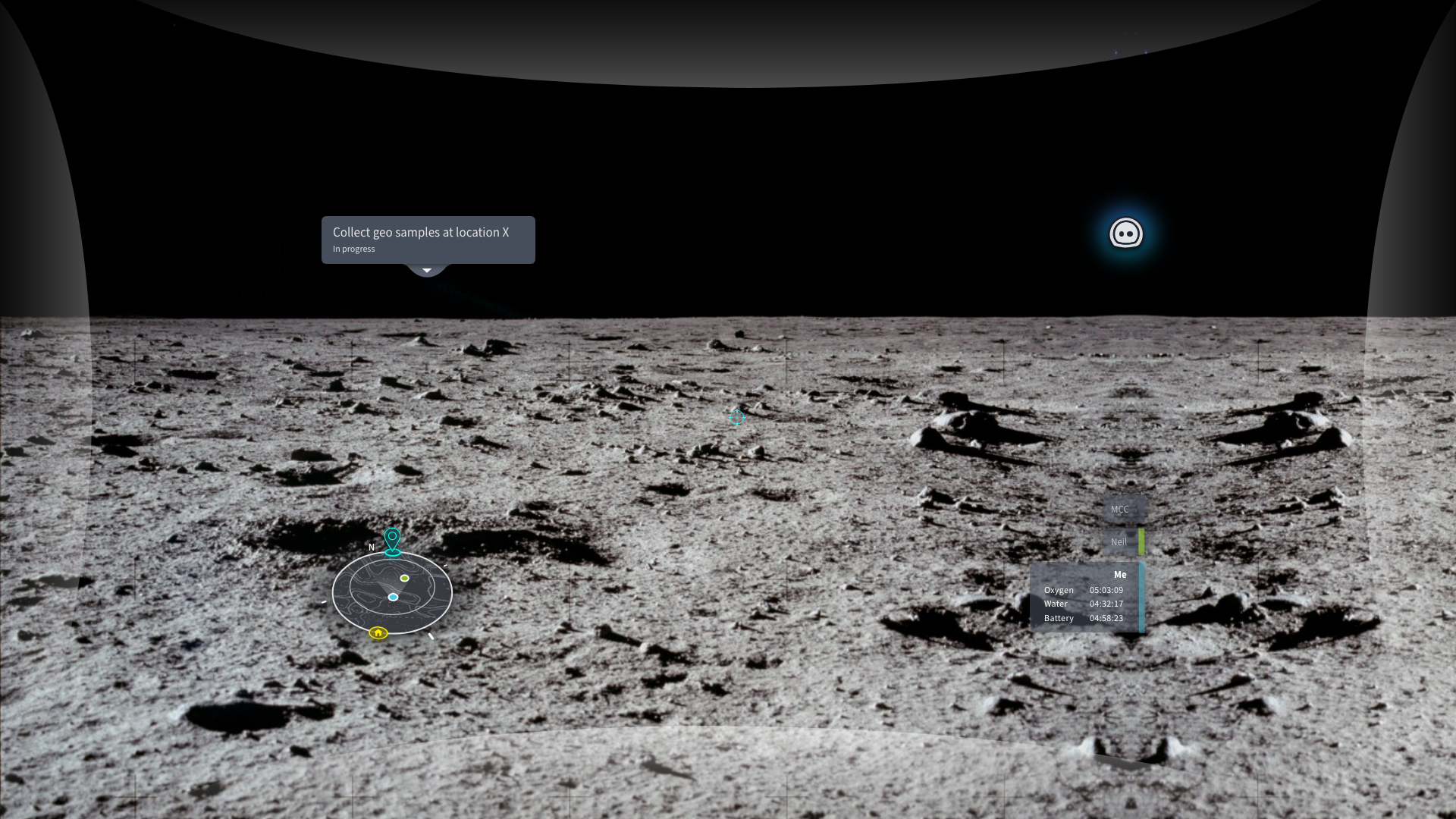
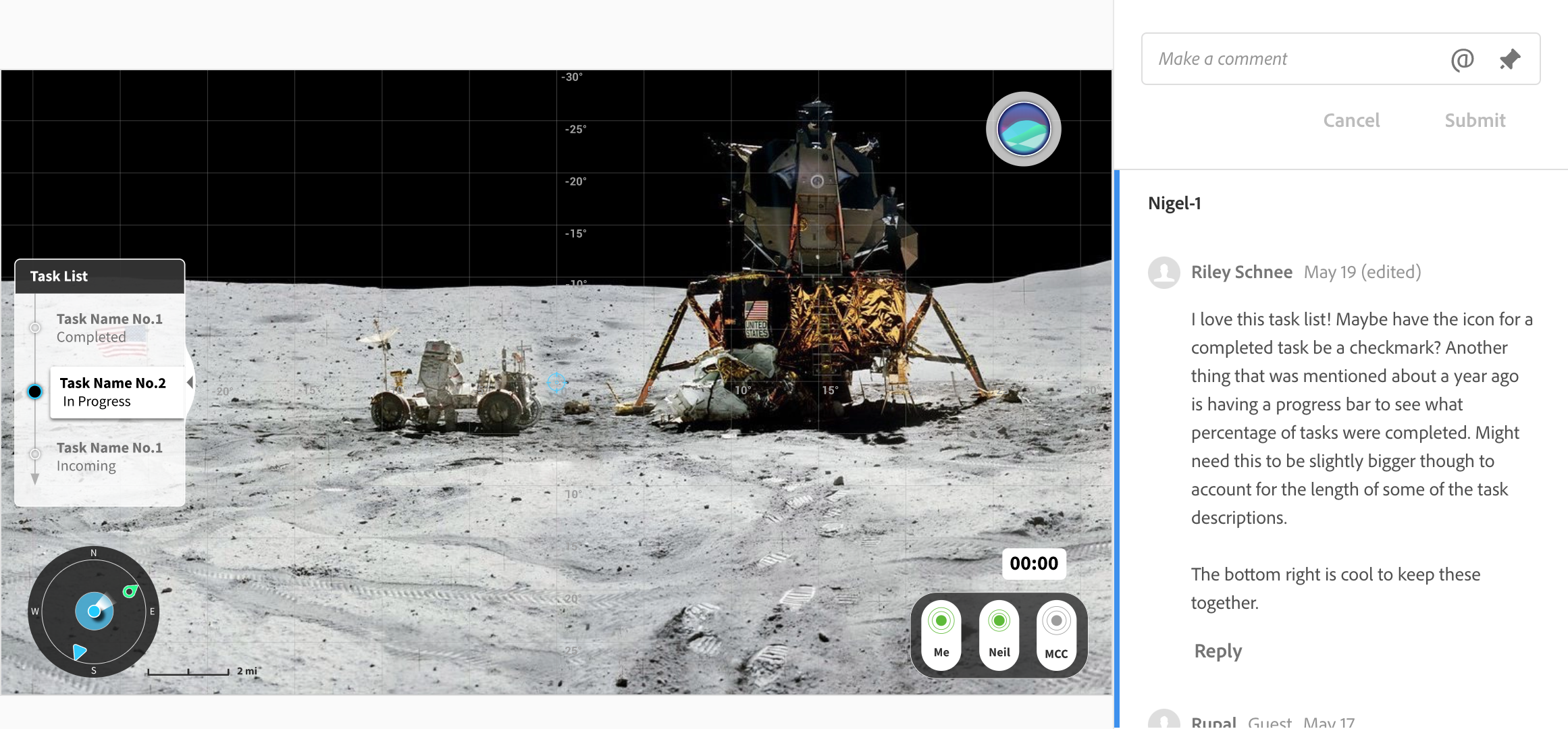
is a conversational AI that serves as the information center where astronauts can receive warnings, notifications and messages. It is also where they can receive feedback when they are inputting voice commands. With VEGA, astronauts are able to go further without feeling fatigued.
+ finding 1, 2, 9, 10 & limitation 4
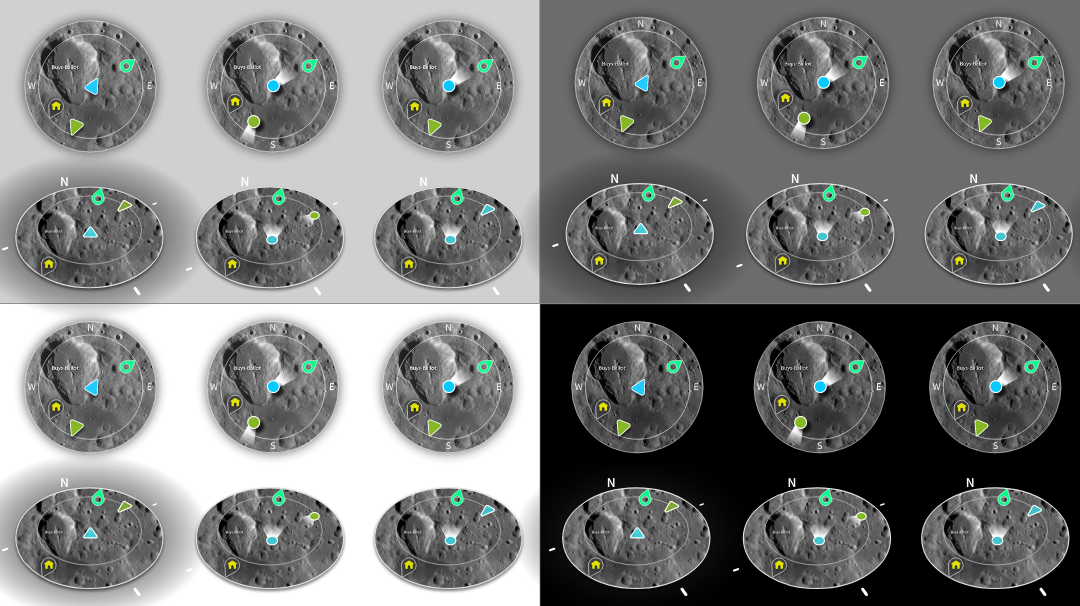
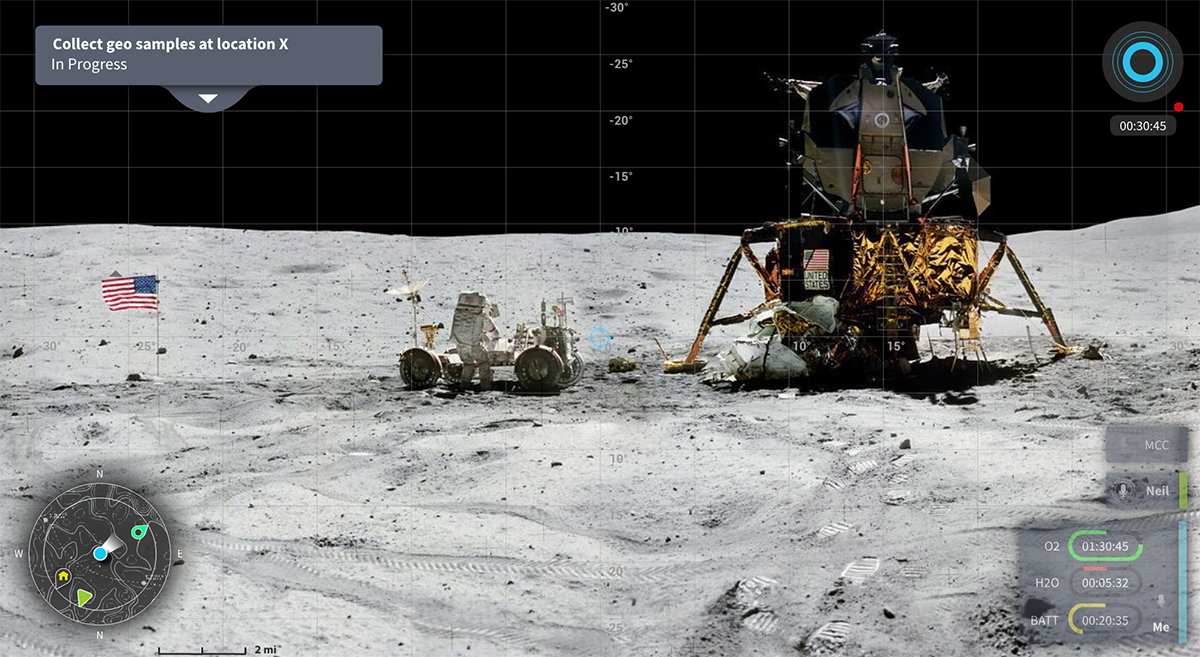
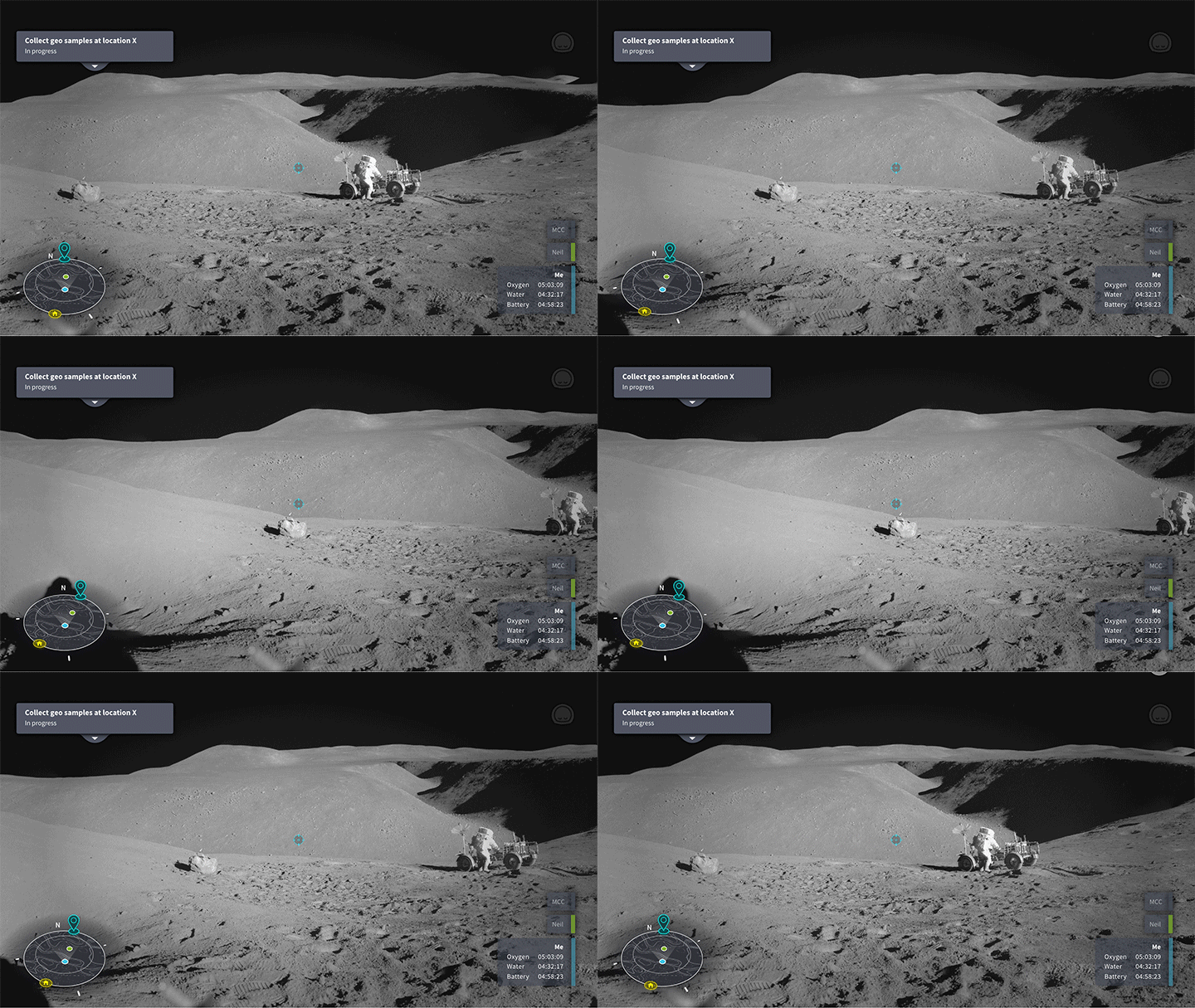
Mini Map
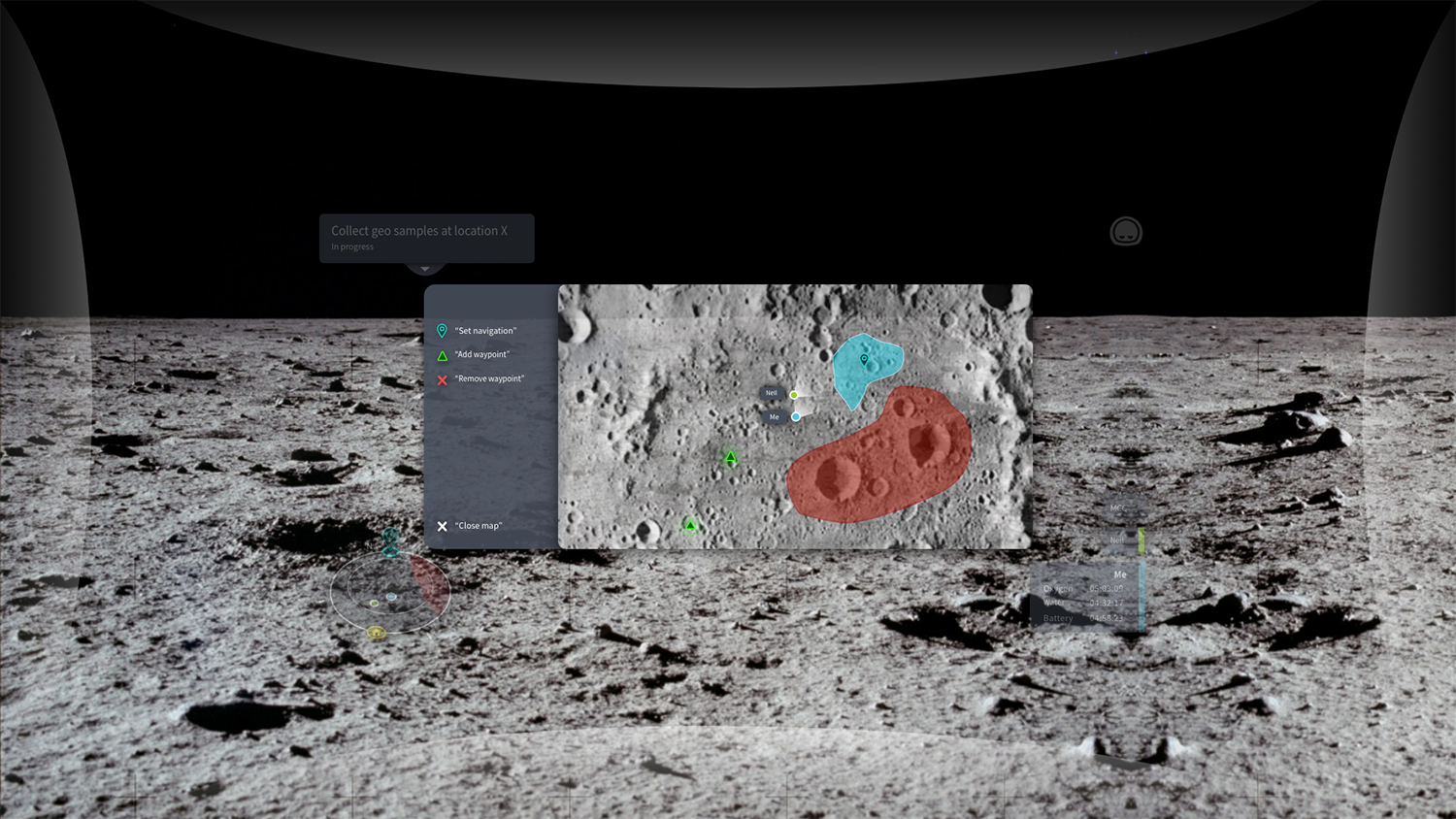
displays the astronaut, their partner(s), destination, home base and no-go zones. The astronaut is fixed in the center, forward-facing while the map rotates around them. This design allows astronauts to easily line themselves up with their destination and improves safety and efficiency.
+ finding 6 & 7
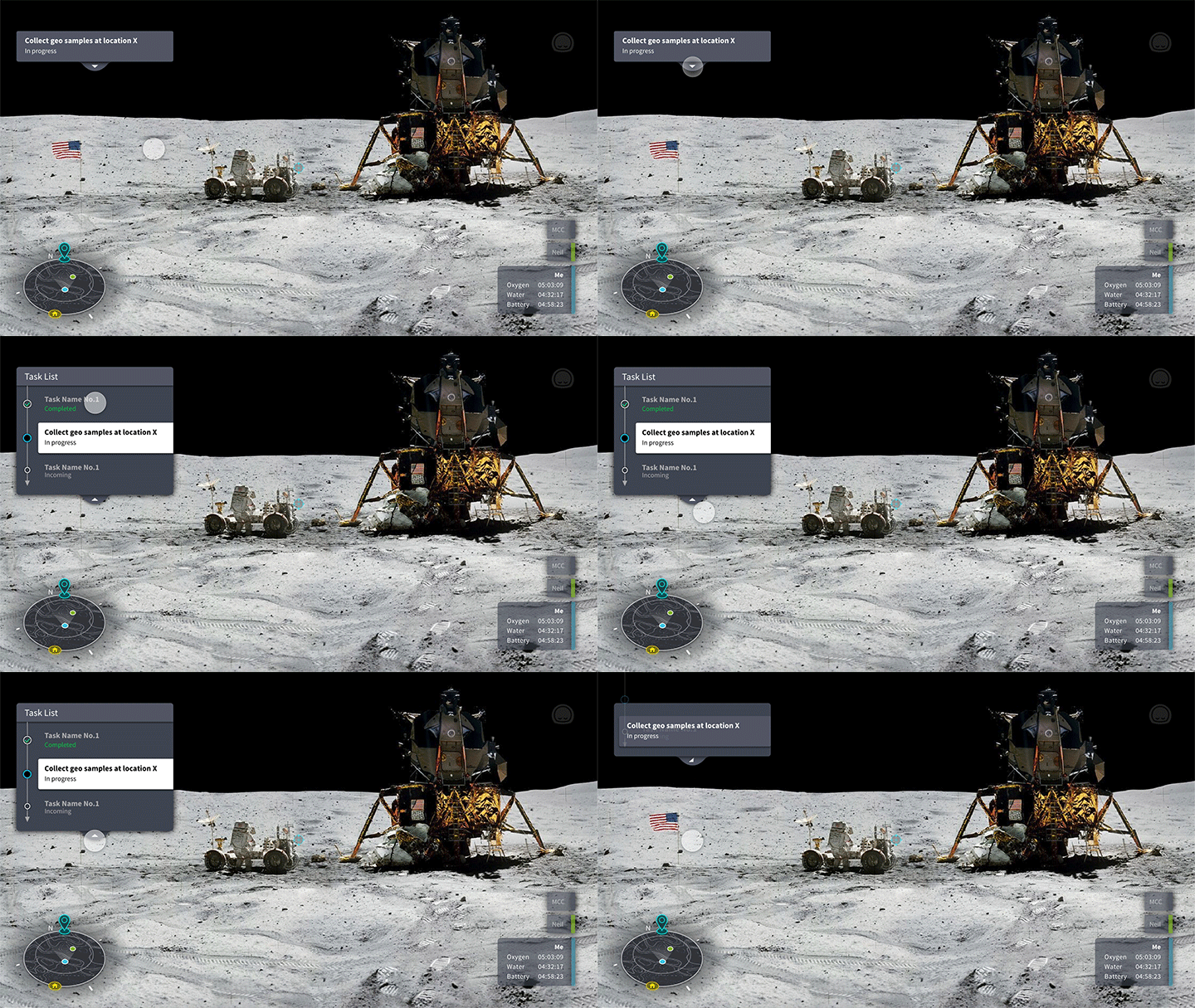
Task List
displays the current goal and can be expanded to its full length to show previously completed and future tasks. Giving astronauts the flexibility to customize what they are able to see. The background color is added to all content to ensure readability.
+ finding 5 & 11
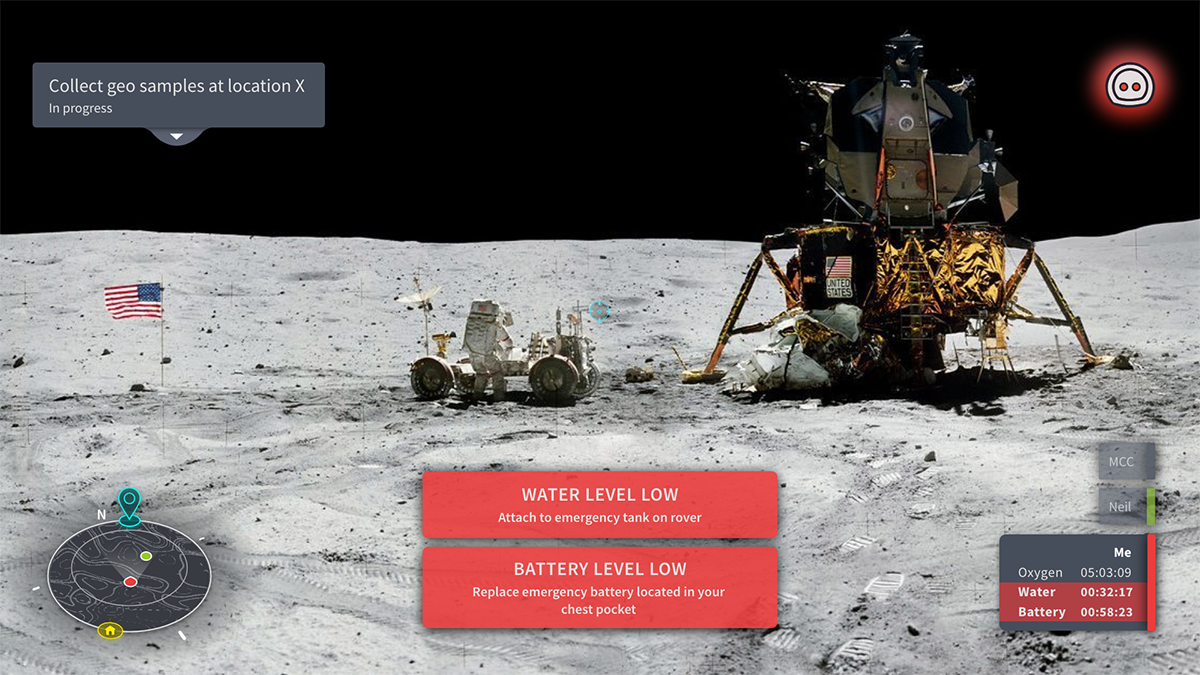
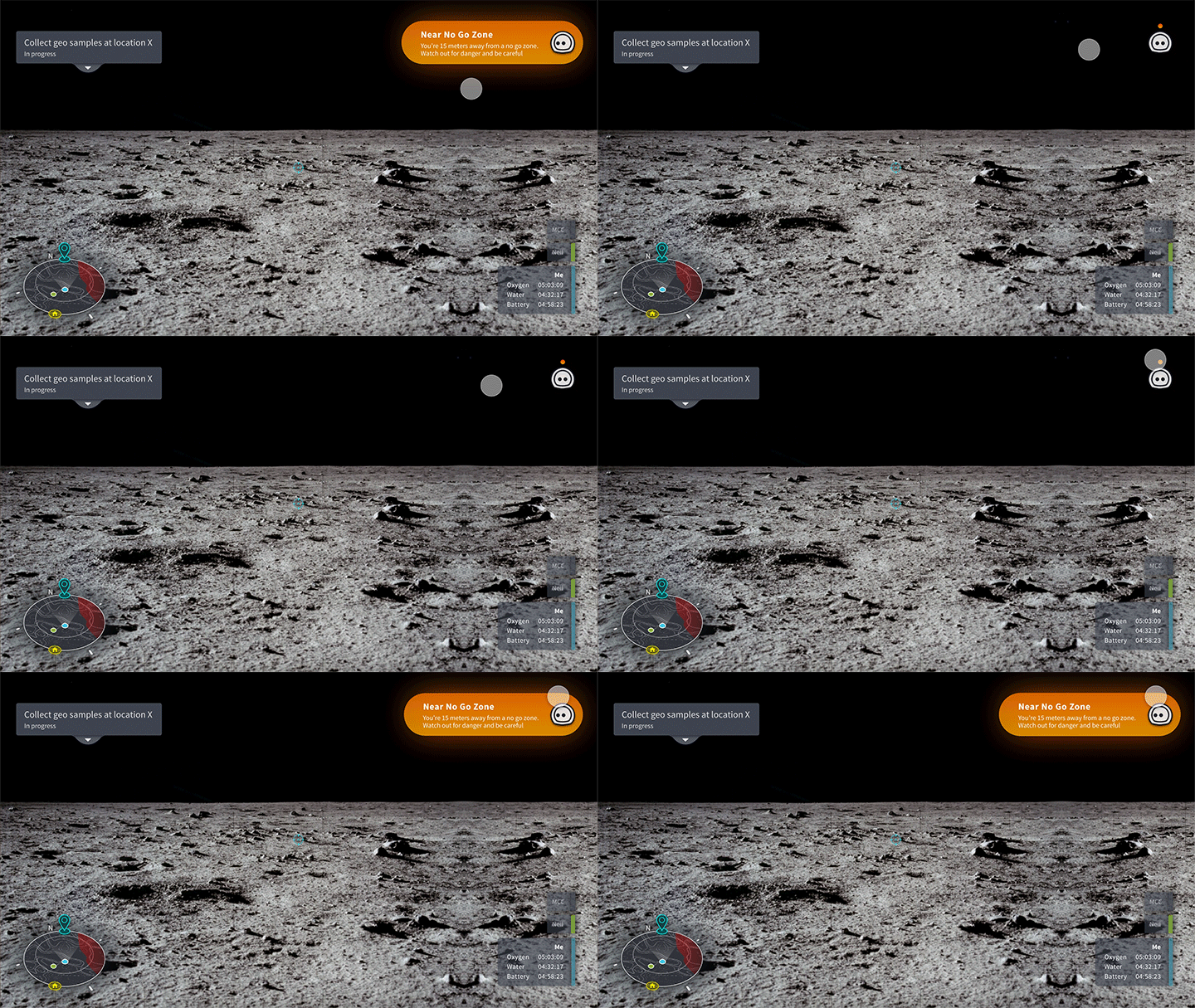
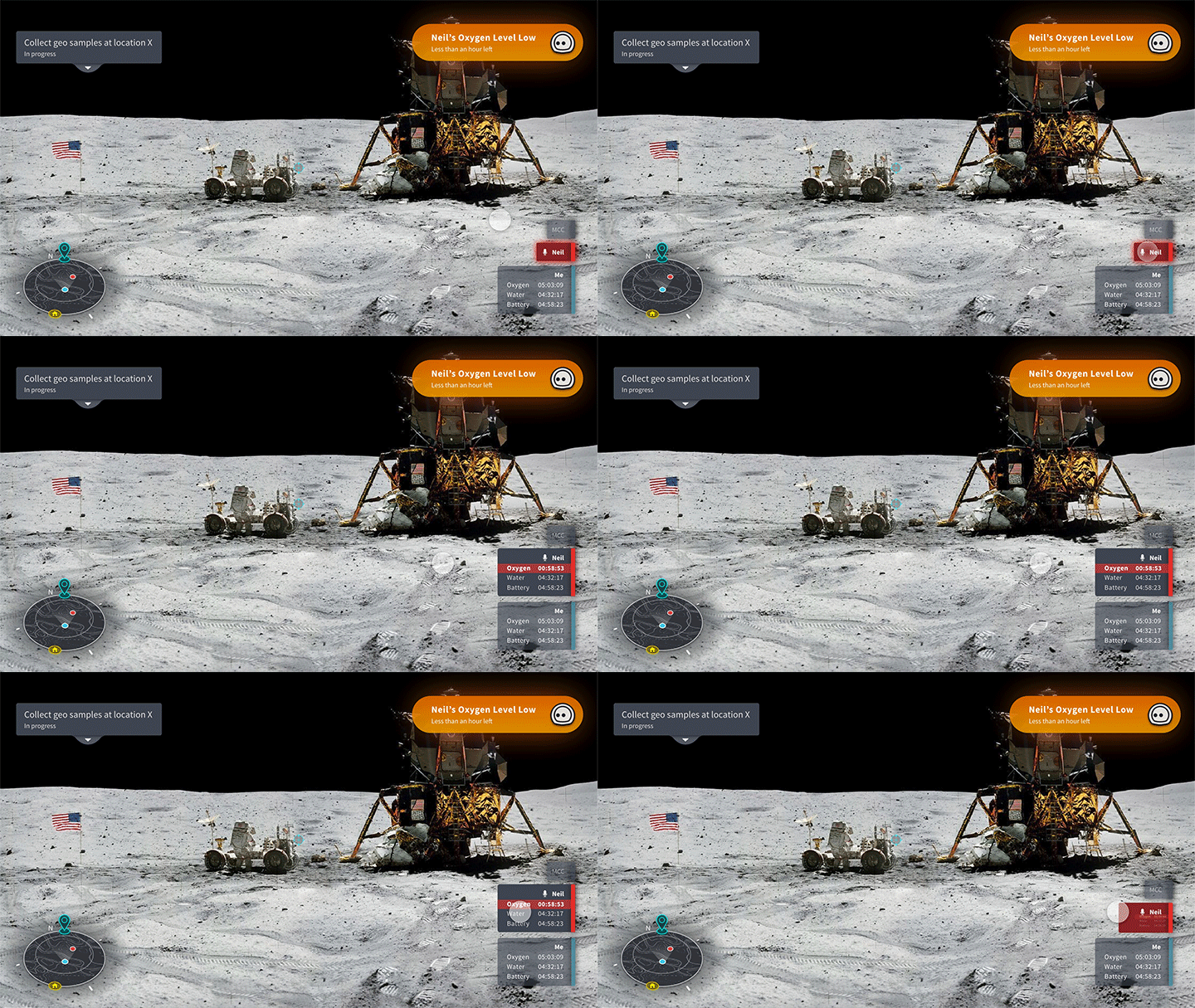
Warnings
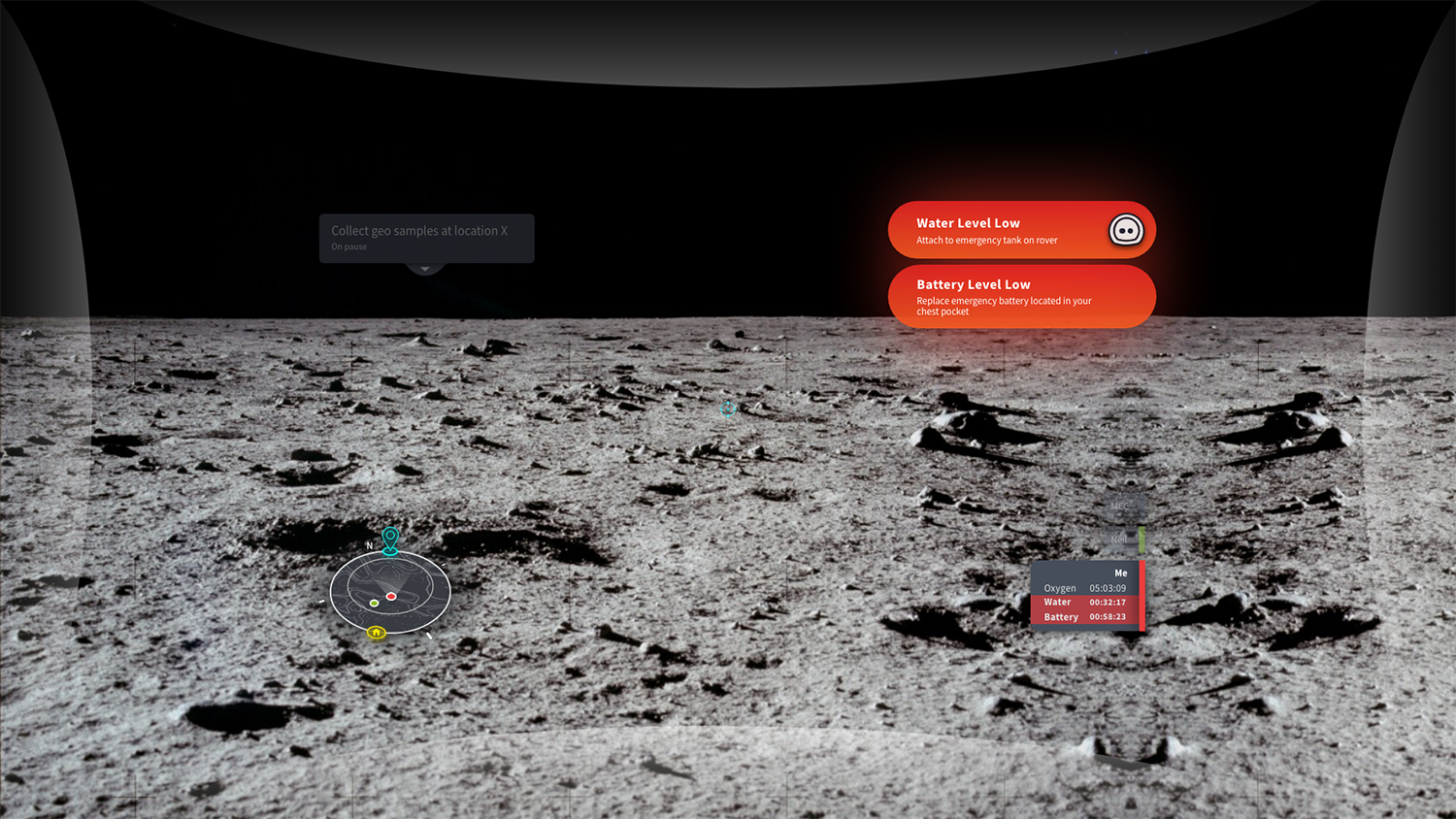
and alerts astronaut’s should be aware of that won’t immediately affect their lives are displayed in orange. Once dismissed, an orange dot is kept above the voice assistant as a notification.
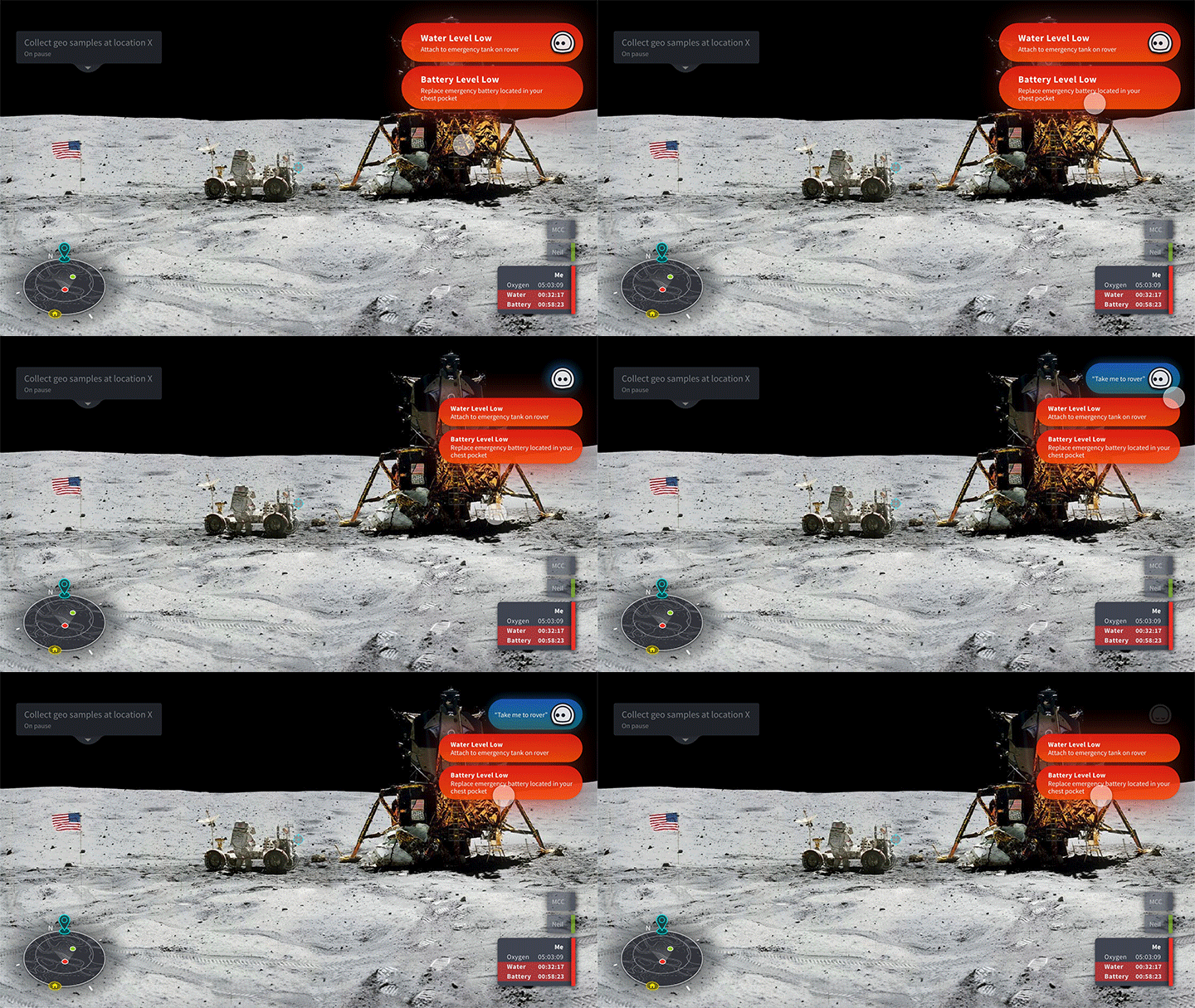
Life-Threatening Warnings
contain both the reason that led to the problem as well as instructions to resolve the problem. Once dismissed, the message(s) are kept under the voice assistance to keep the astronauts informed.
Partner Biometrics
will turn red if an issue occurs, which can be further expanded.
+ finding 8
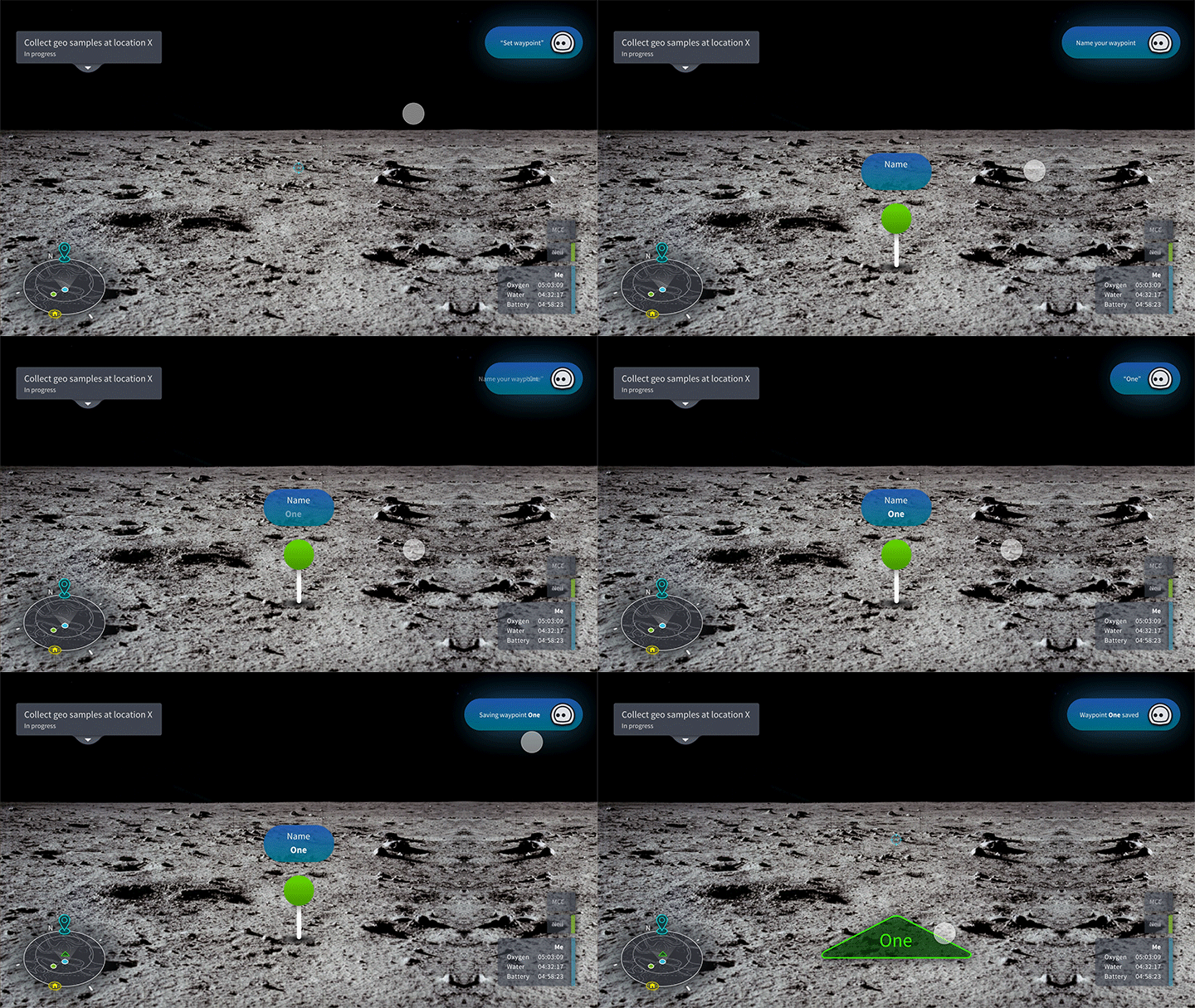
Set Waypoint
at their current location directly through the Hololens viewport. The voice assistant provides guidance and instructions as the astronaut drops and names its waypoint.
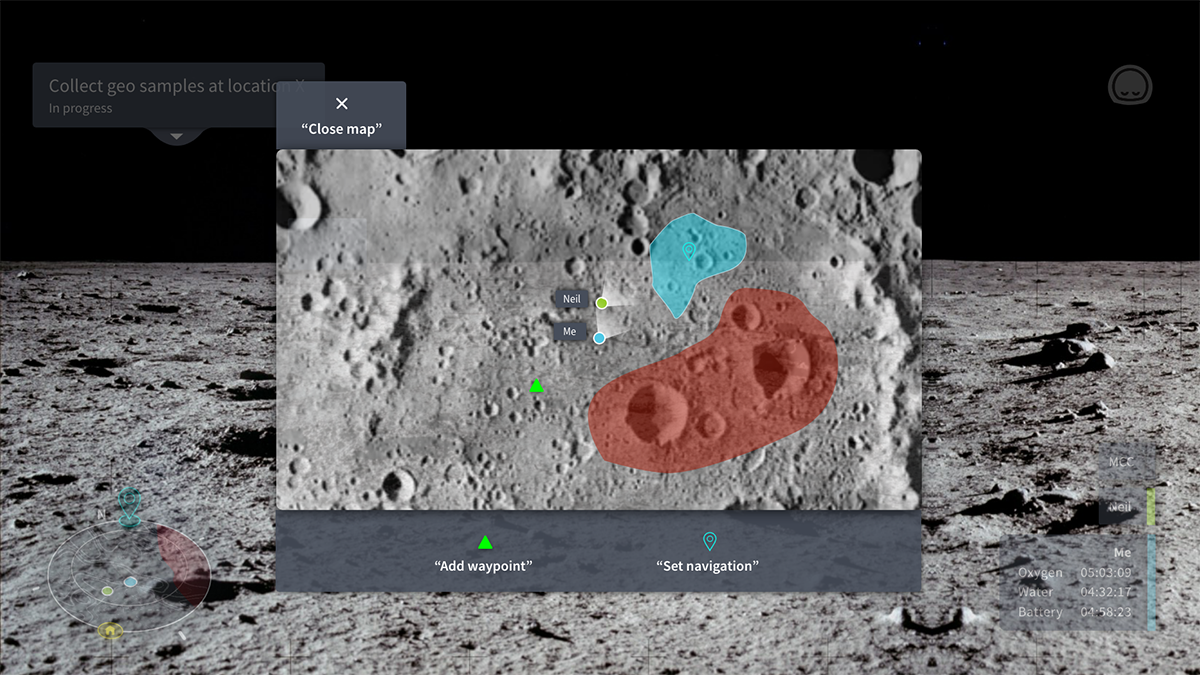
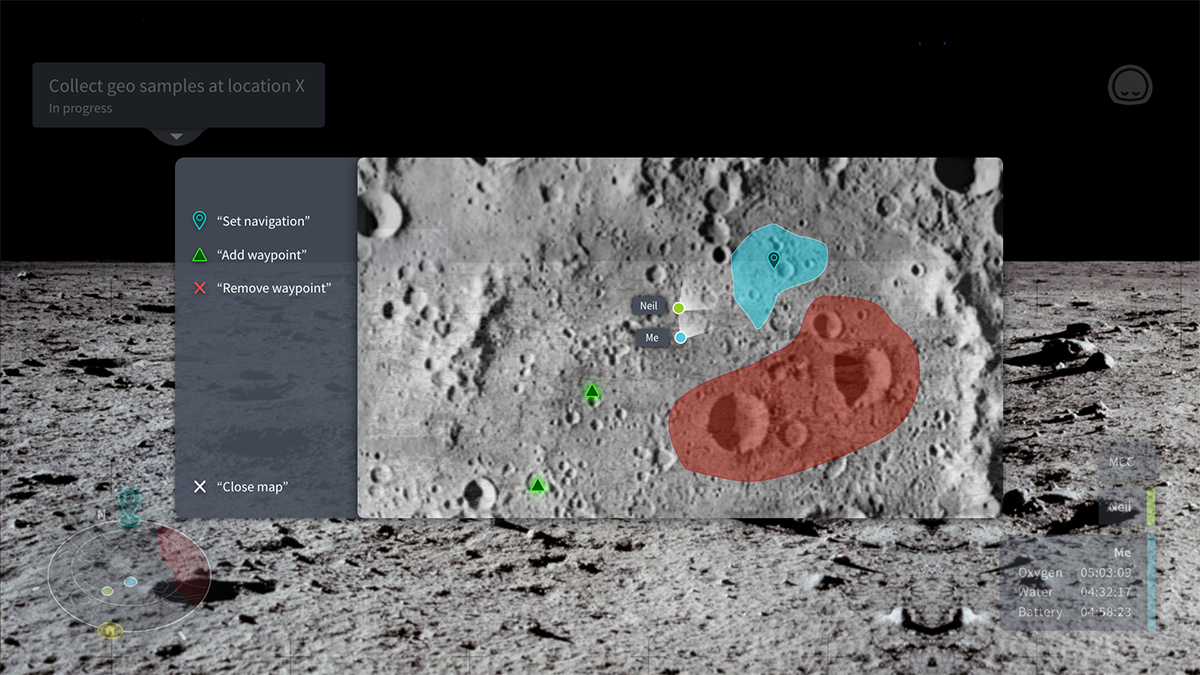
Expanded Map
shows what the minimap has to offer in full view. It also includes 3 functions with quotes around them to suggest that they’re voice activatable. The demo shows the removal of a waypoint.
+ finding 6 & 7
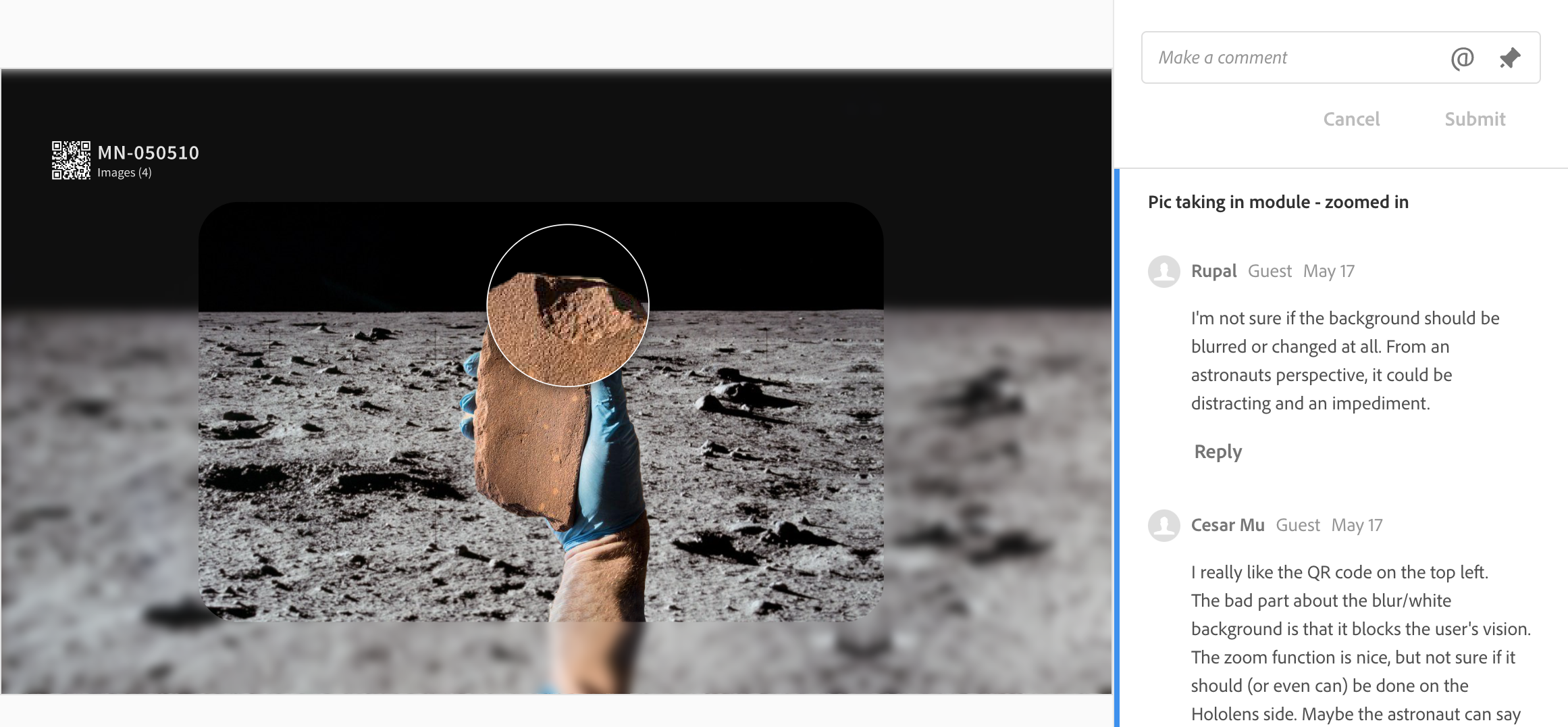
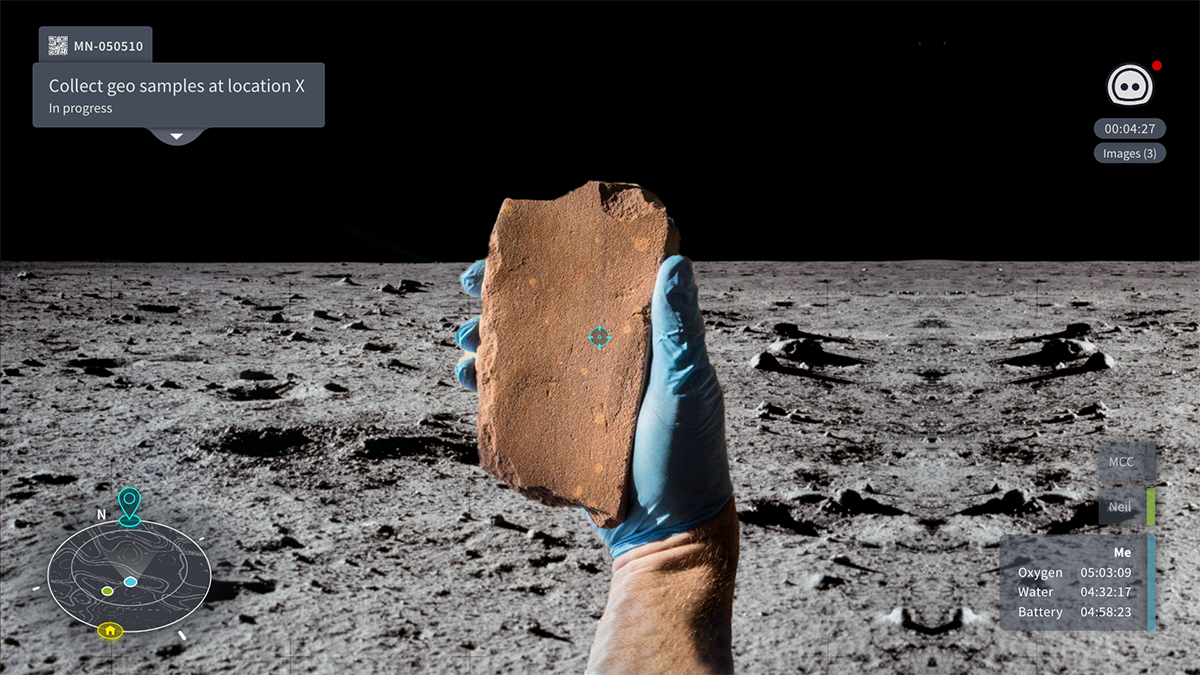
QR Codes
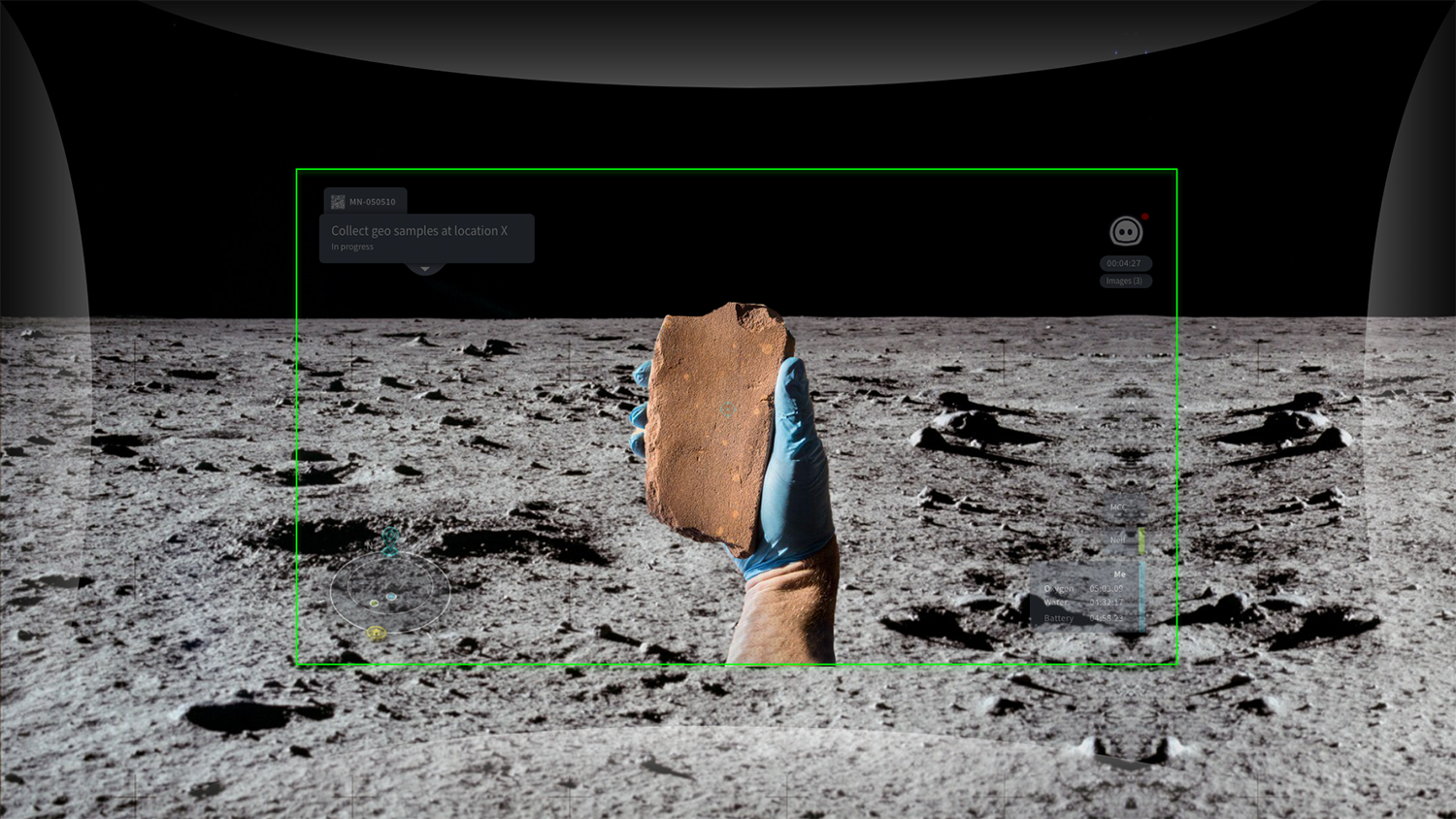
are assigned to individual sample bags for unique identification and better integration to the digital system. When a QR code is scanned, a module will be created. The voice assistant will display the module’s duration, amount of images taken and a red dot indicating that the documentation is in progress. The demo shows the process of taking a photo “screenshot“. Once the camera is activated, the Hololens screen will be wrapped in a green ring indicating the area the photo will be taken.
+ finding 2, 3, 4, 12 & limitation 3
the nerdy stuffduration: jan 2020 - may 2020 (5 mo)tools: illustrator, adobe xd, hololensskills/keywords: mixed reality design, voice user interface design, paper prototyping, interview protocol creation, interview, competitor research, user testingteam: nigel lu, seds@um claws